AI-Powered Search in Rails: Semantic Search with ActiveRecord
Learn how to add semantic search to a Rails application using PostgreSQL and pgvector, while combining AI-powered relevance with ActiveRecord filters.


Saikat Kumar Dey
Technical Consultant


Traditional search works well when users know exactly what they're looking for.
If our database contains:
Shockproof iPhone 15 Case
A query such as:
shockproof iphone case
is easy to handle with SQL or full-text search.
But what happens when the customer searches: "something that protects my phone from accidental drops".
The words are different, but the intent is similar.
This is where semantic search becomes useful.
Instead of asking:
"Does this product contain the words from my query?"
Semantic search asks:
"Which products have a meaning similar to what the user is asking for?"
In this article, we'll build a simple semantic product search in Rails using:
-
Ruby on Rails
-
ActiveRecord
-
PostgreSQL
-
pgvector
-
An embedding model
And we'll keep the implementation practical rather than turning it into a full AI platform.
The Problem With Keyword Search
Imagine our product table contains:
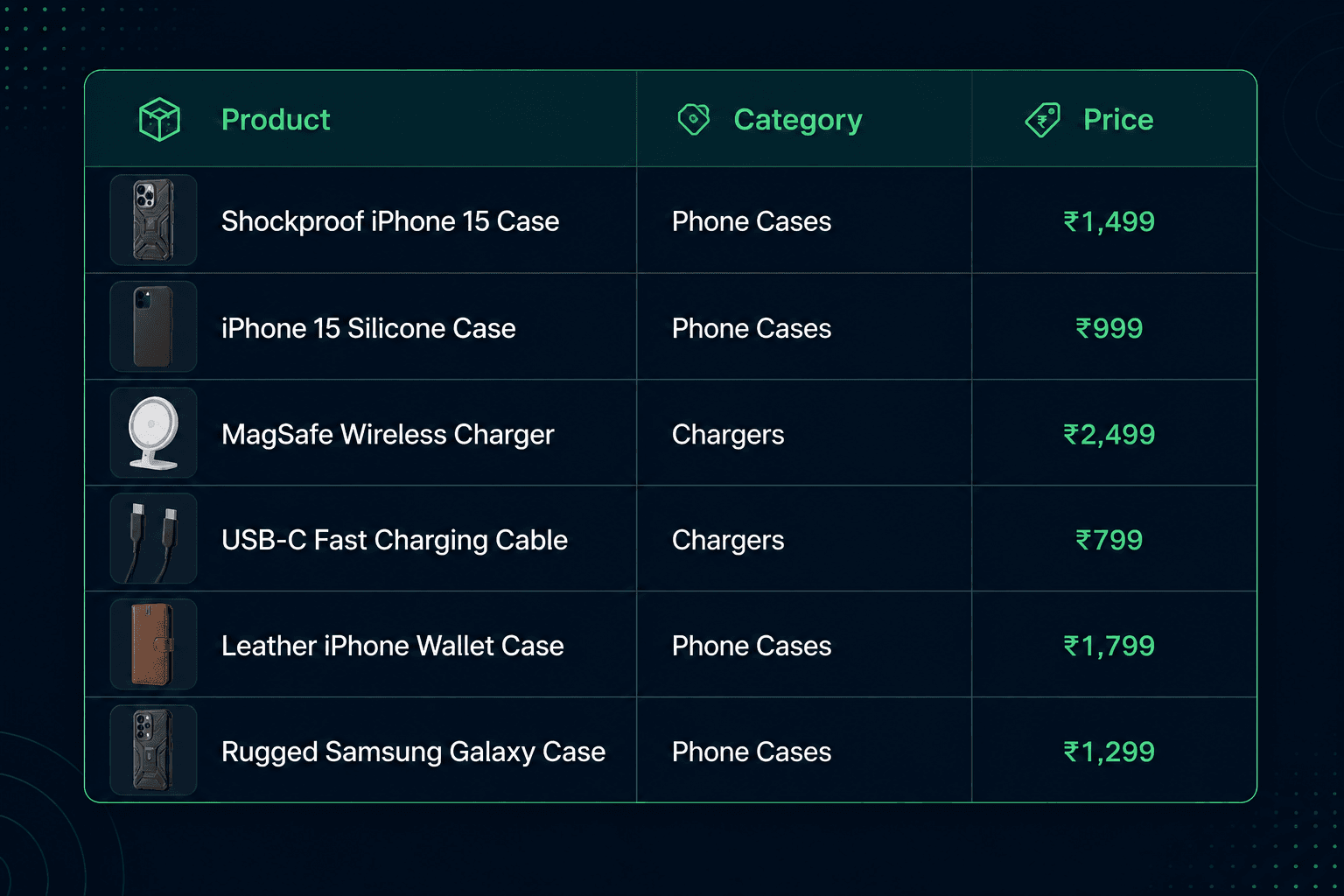
Now a user searches:
I need something that protects my phone from accidental drops
A traditional keyword search may look for words such as:
- Protects
- Phone
- Accidental
- Drops
But our product contains:
- Shockproof
- Case
The product is exactly what the user wants, but the important words don't match.
Semantic search solves this by representing text as a vector.
What Is an Embedding?
An embedding is a numerical representation of text.
For example:
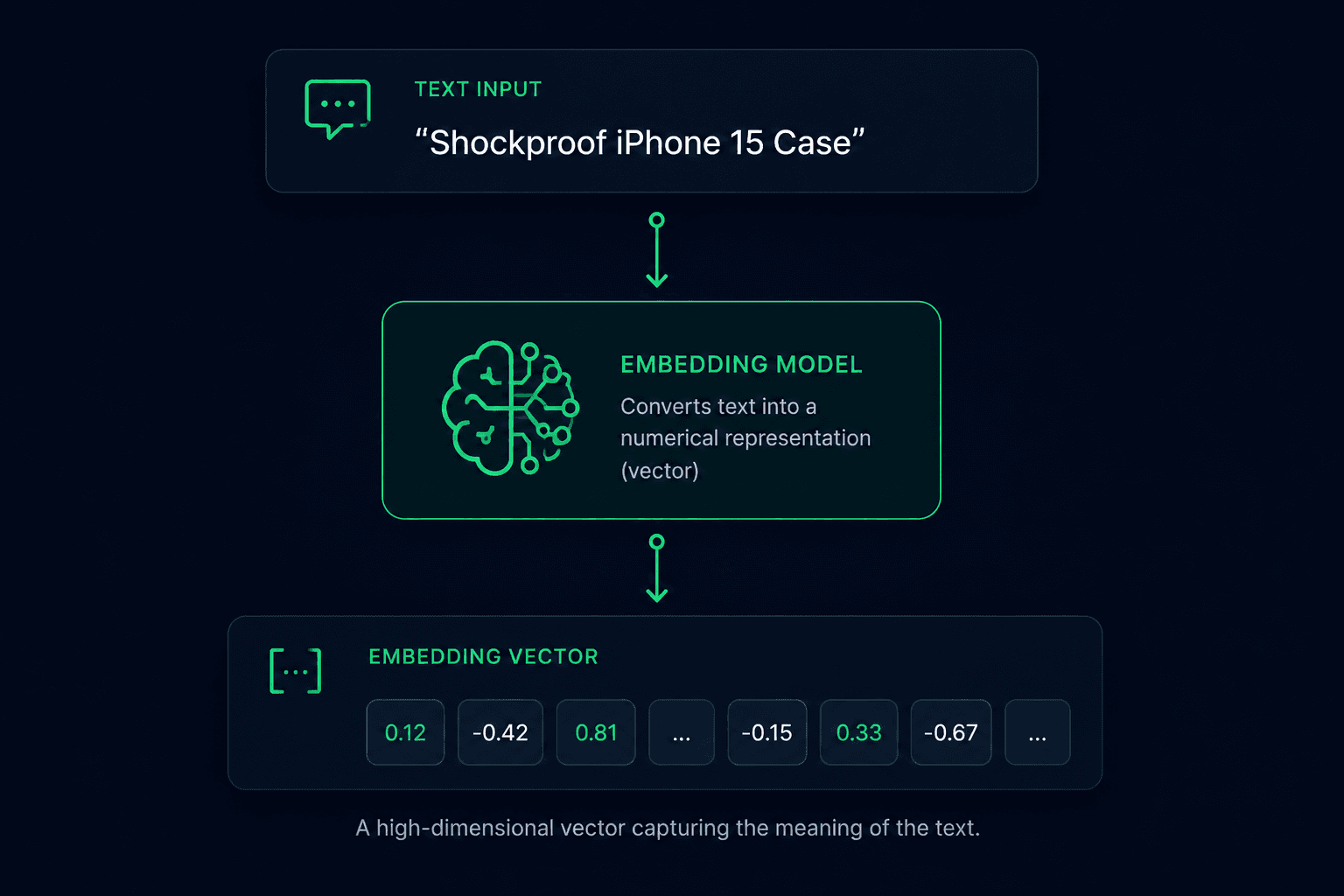
The vector contains many numerical dimensions.
We don't need to understand what each individual number means.
The useful property is that text with similar meaning can produce vectors that are close to each other in vector space.
Conceptually:
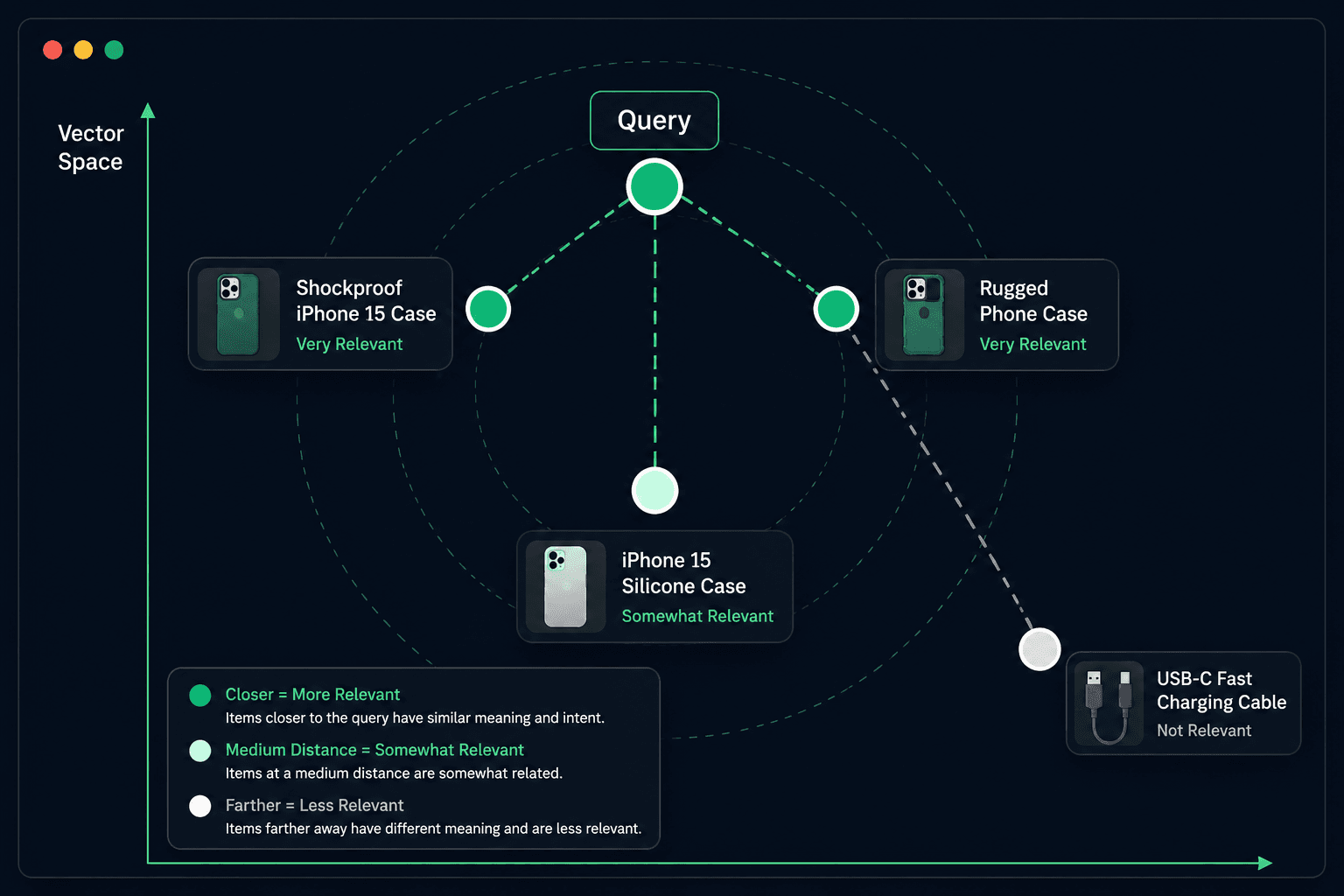
The query is closer to products related to phone protection than to an unrelated charging cable.
That distance becomes the basis for semantic search.
How Semantic Search Works
There are two separate operations.
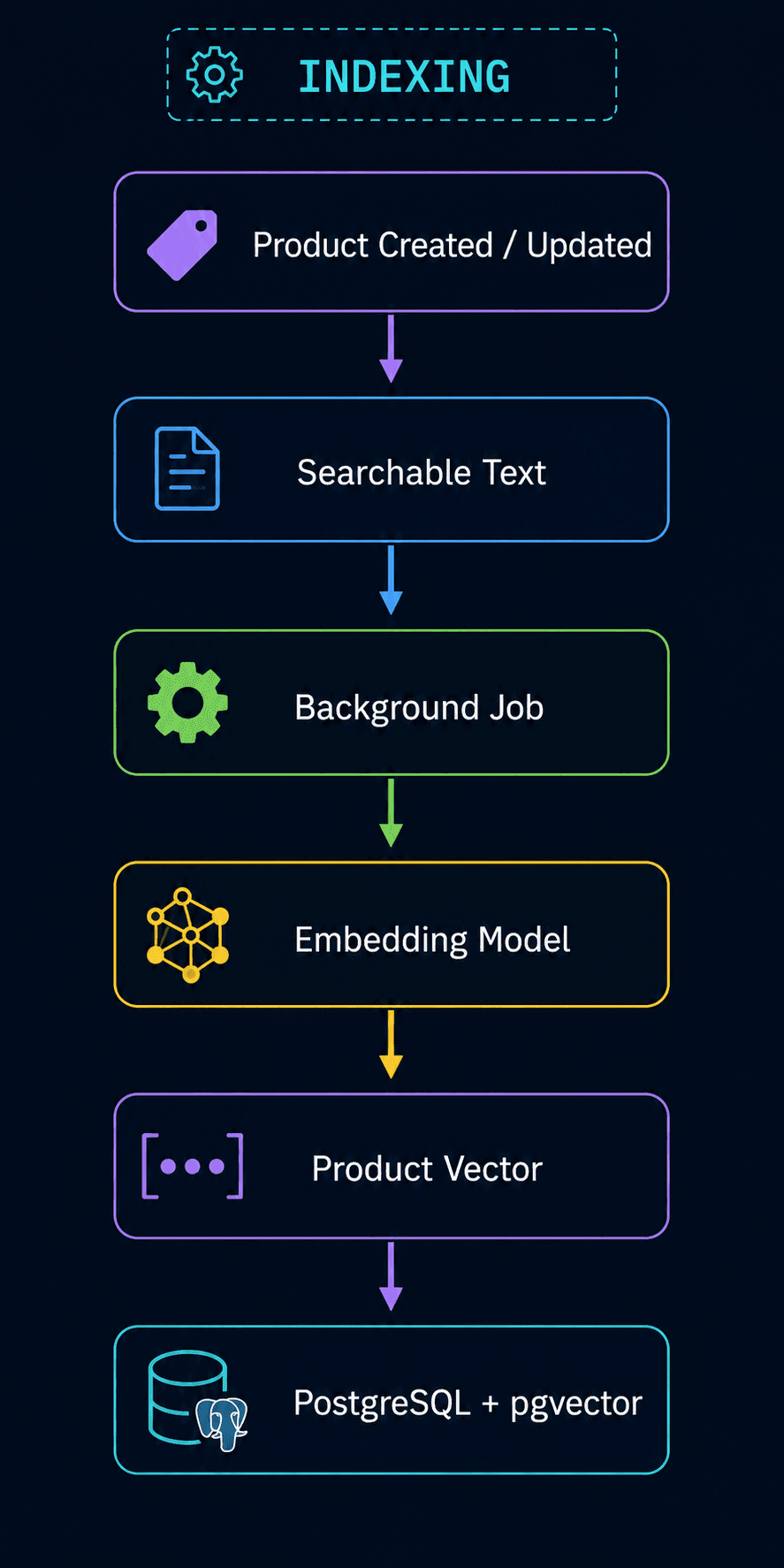
1. Indexing Products
When a product is created or updated:
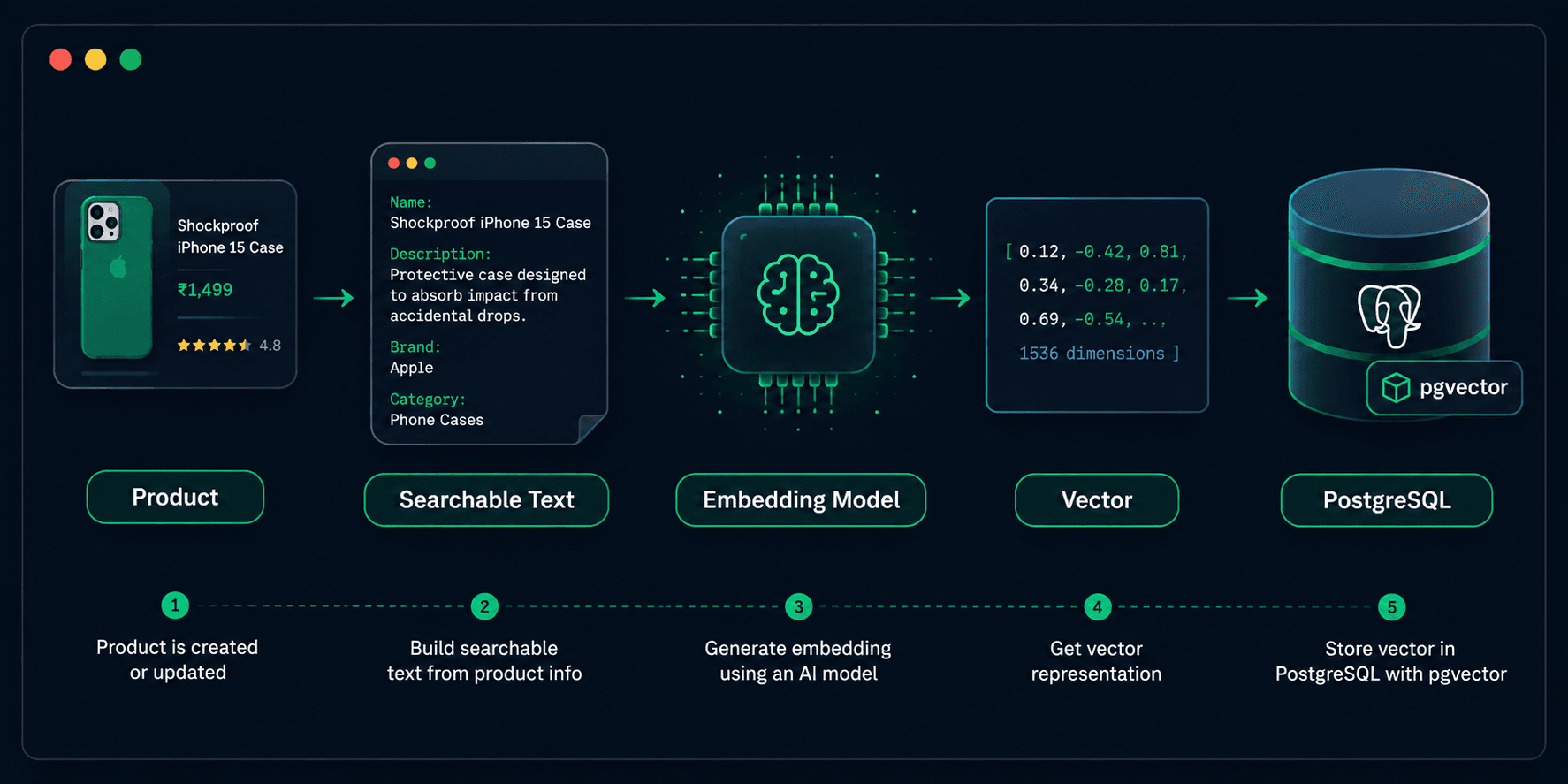
The vector is stored alongside the product.
2. Searching
When the user searches:
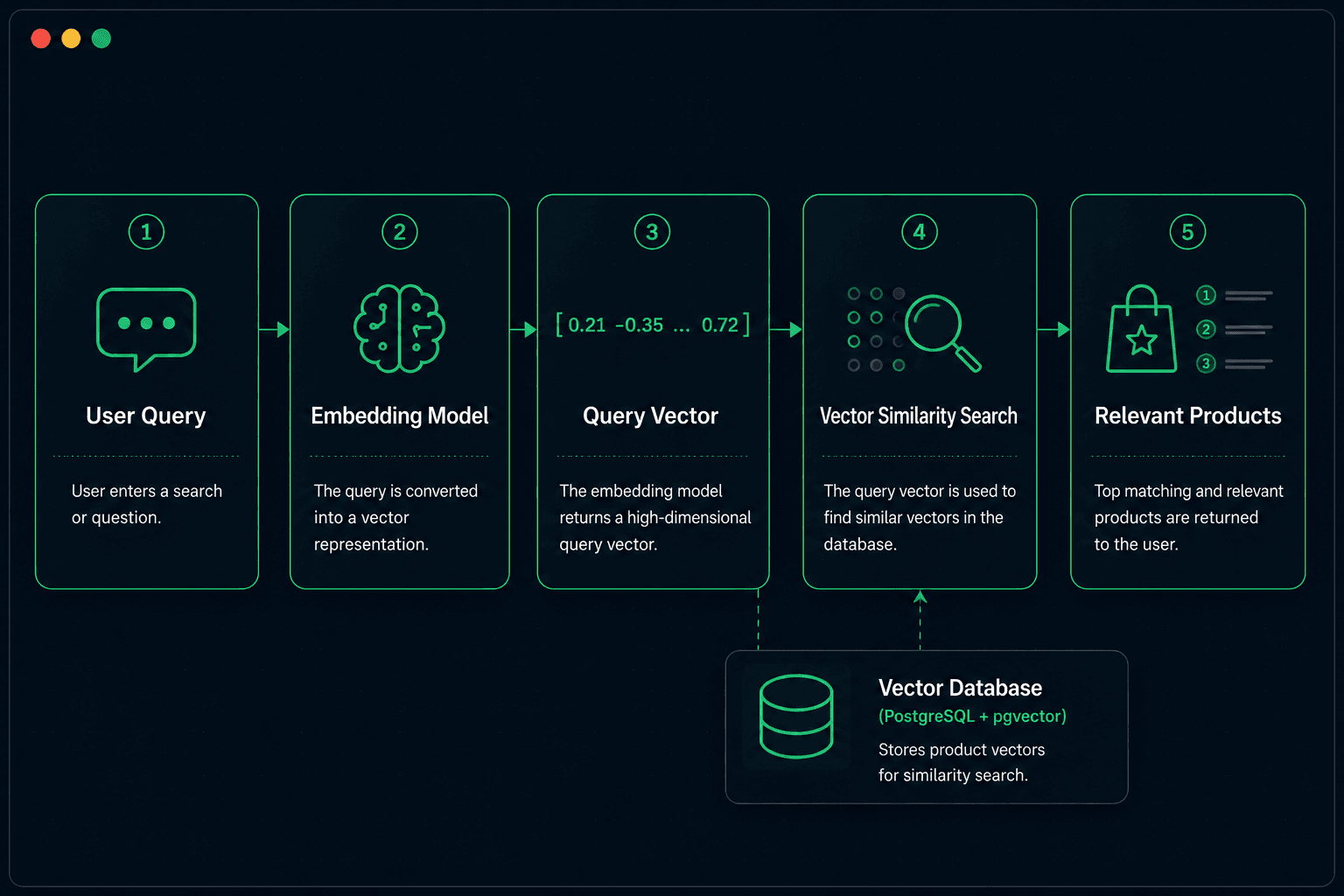
So the database doesn't store only:
"Shockproof iPhone 15 Case"
It also stores a numerical representation of that product's meaning.
Using PostgreSQL for Vector Search
If our Rails application already uses PostgreSQL, we don't necessarily need a separate vector database.
The pgvector PostgreSQL extension adds vector storage and similarity search capabilities.
Our architecture becomes:
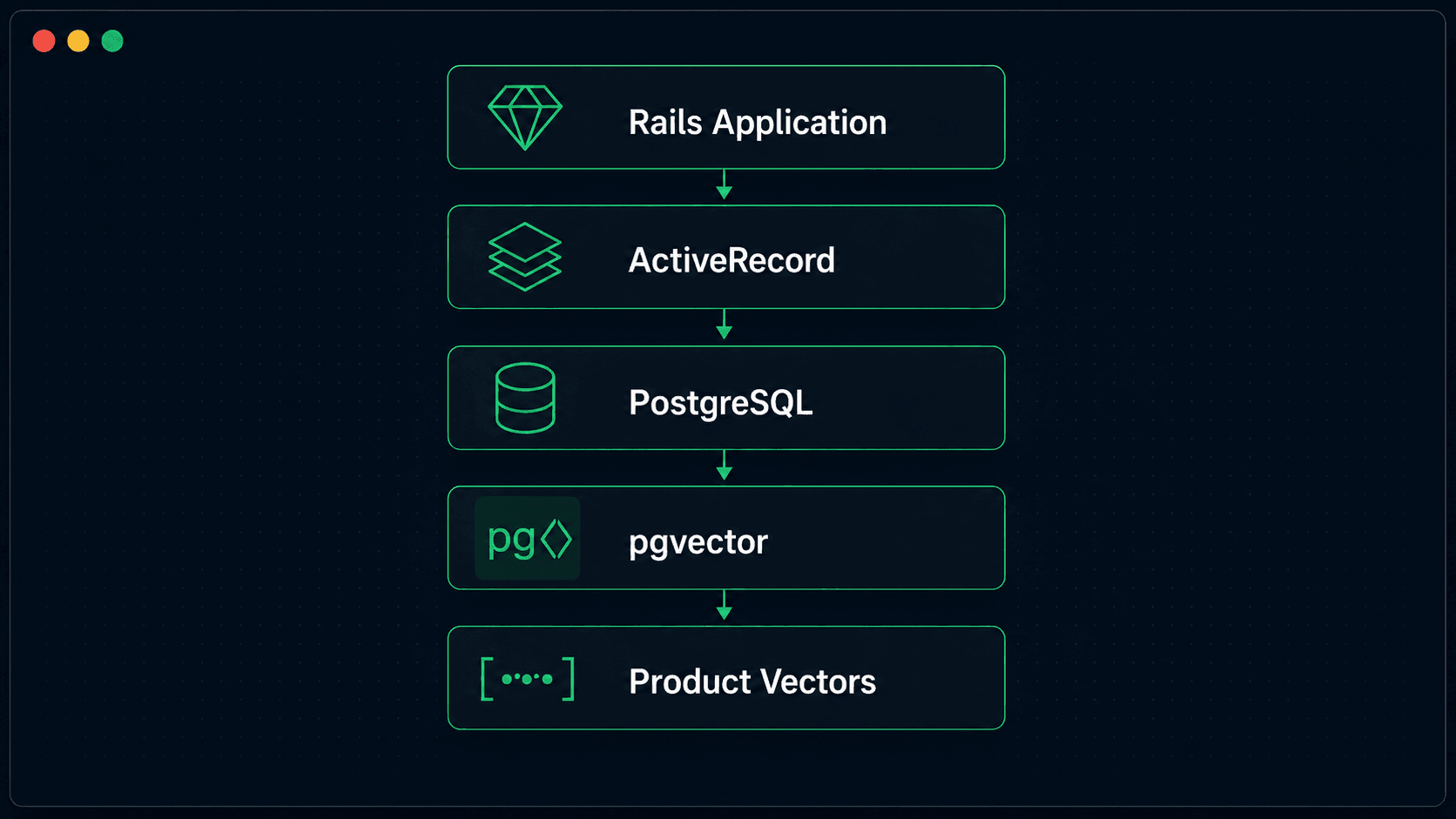
This is particularly convenient for Rails applications because our normal product data and vector data can live in the same database.
We can therefore combine:
Semantic Search + ActiveRecord Filters
in the same query flow.
Step 1: Enable pgvector
First, enable the PostgreSQL extension.
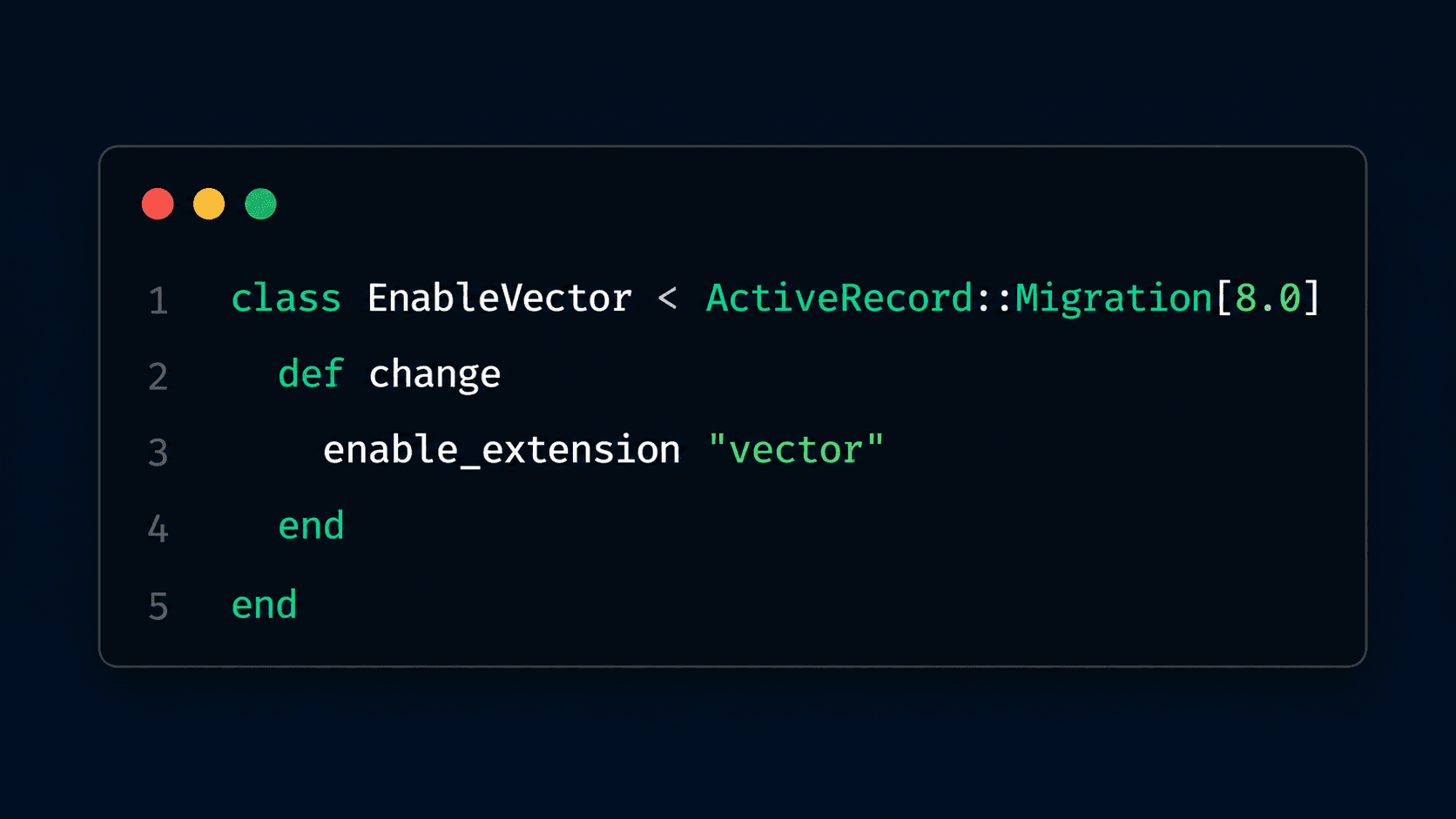
Now we can add a vector column to our products table.
For example:
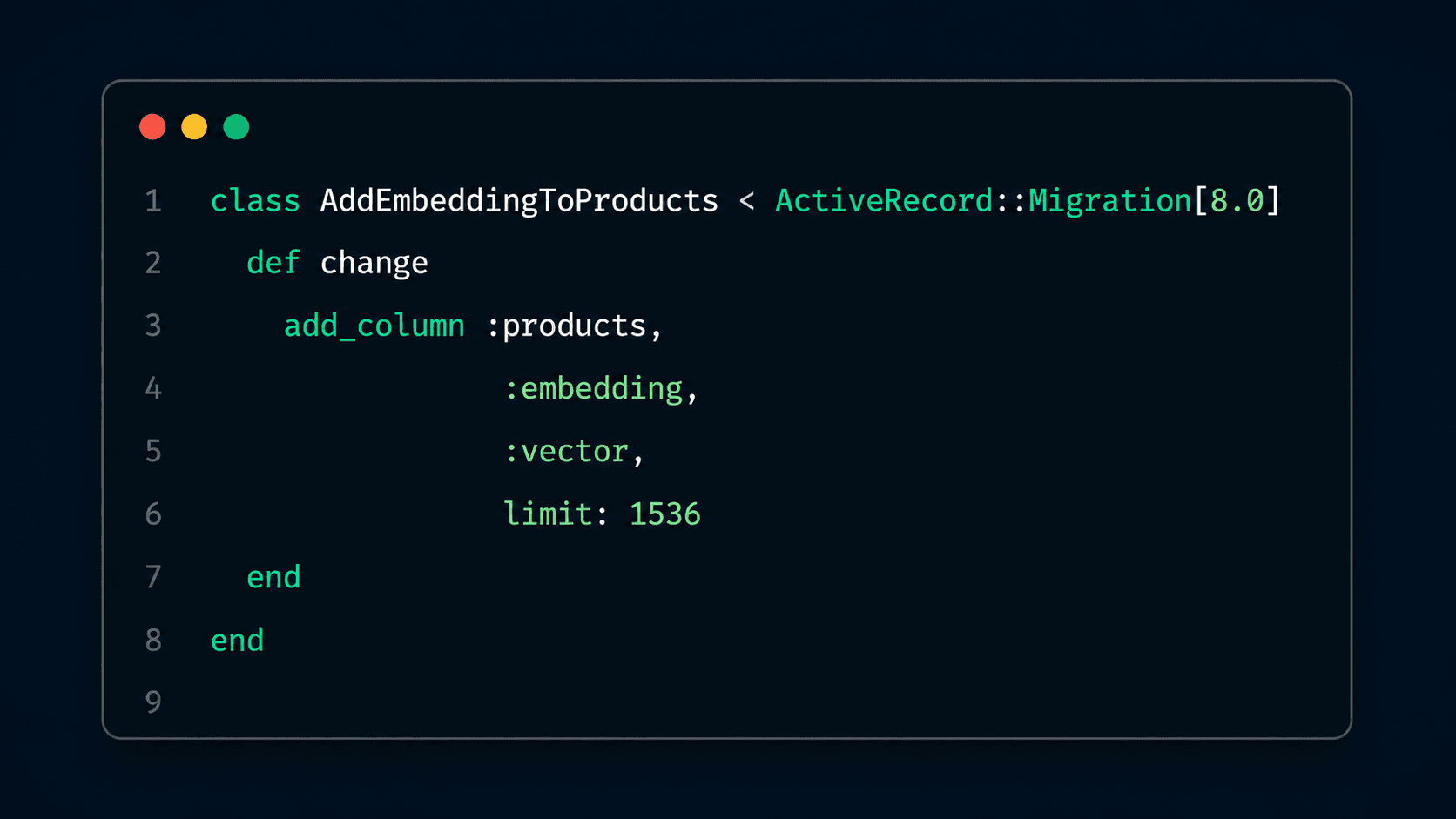
The dimension must match the embedding model we choose.
Our table now looks conceptually like:
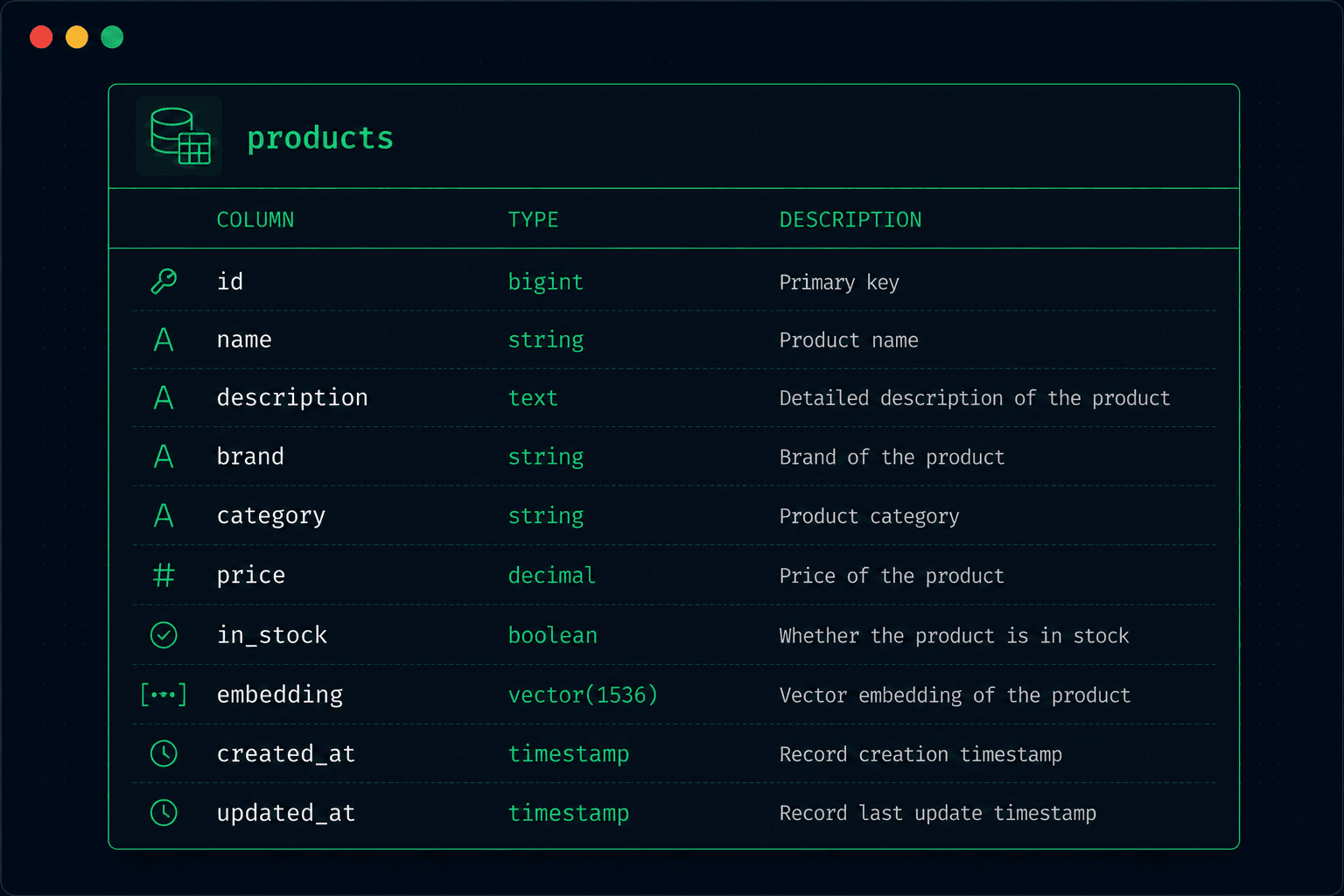
The important part is that embedding is just another column from the application's perspective.
Step 2: Decide What Text to Embed
We don't necessarily want to generate an embedding from the product name alone.
Consider:
Name: Shockproof iPhone 15 Case
Description: Protective case designed to absorb impact from accidental drops.
Brand: Apple
Category: Phone Cases
All of this information can help users discover the product.
We can create a searchable representation:
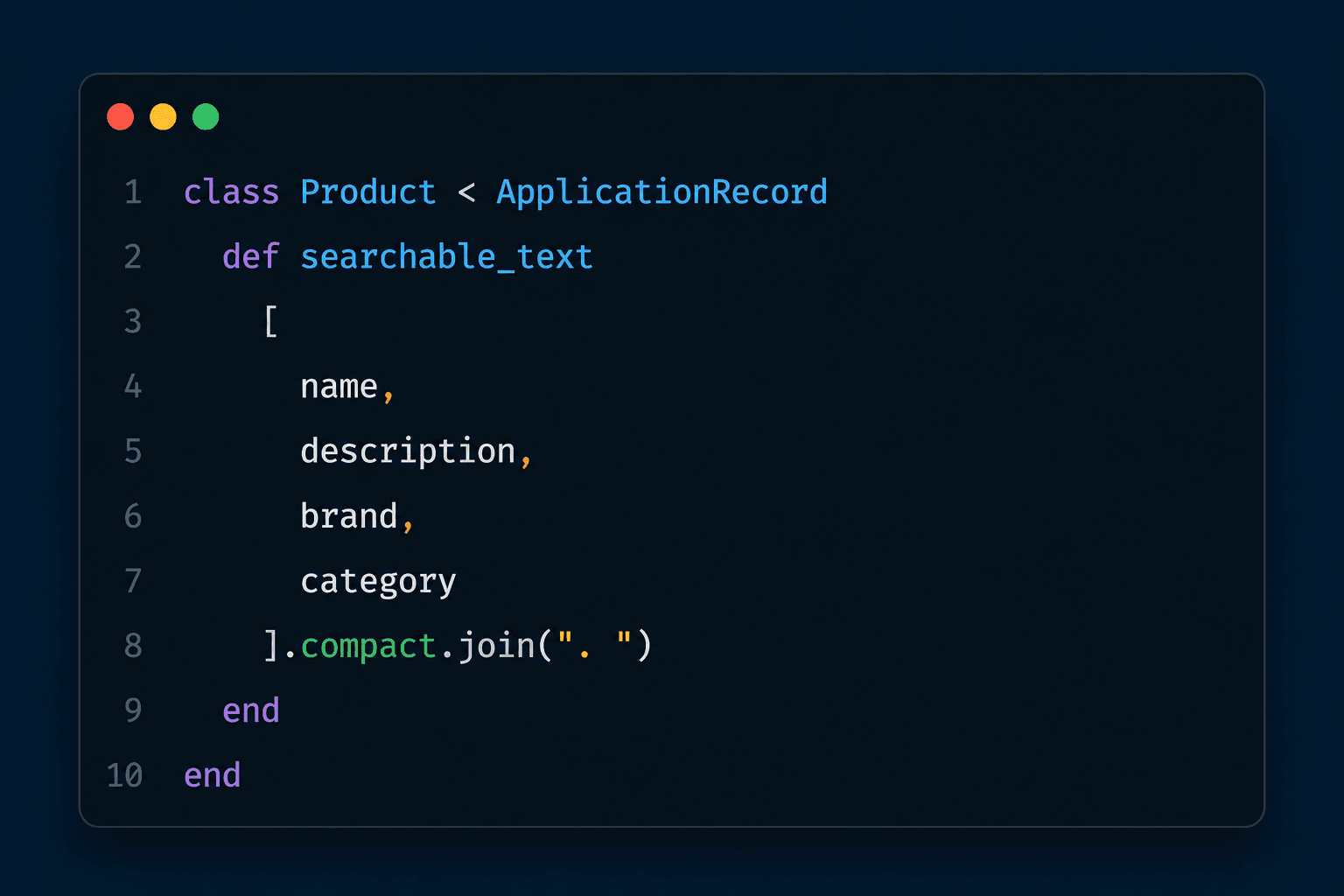
For this product, the resulting text becomes:
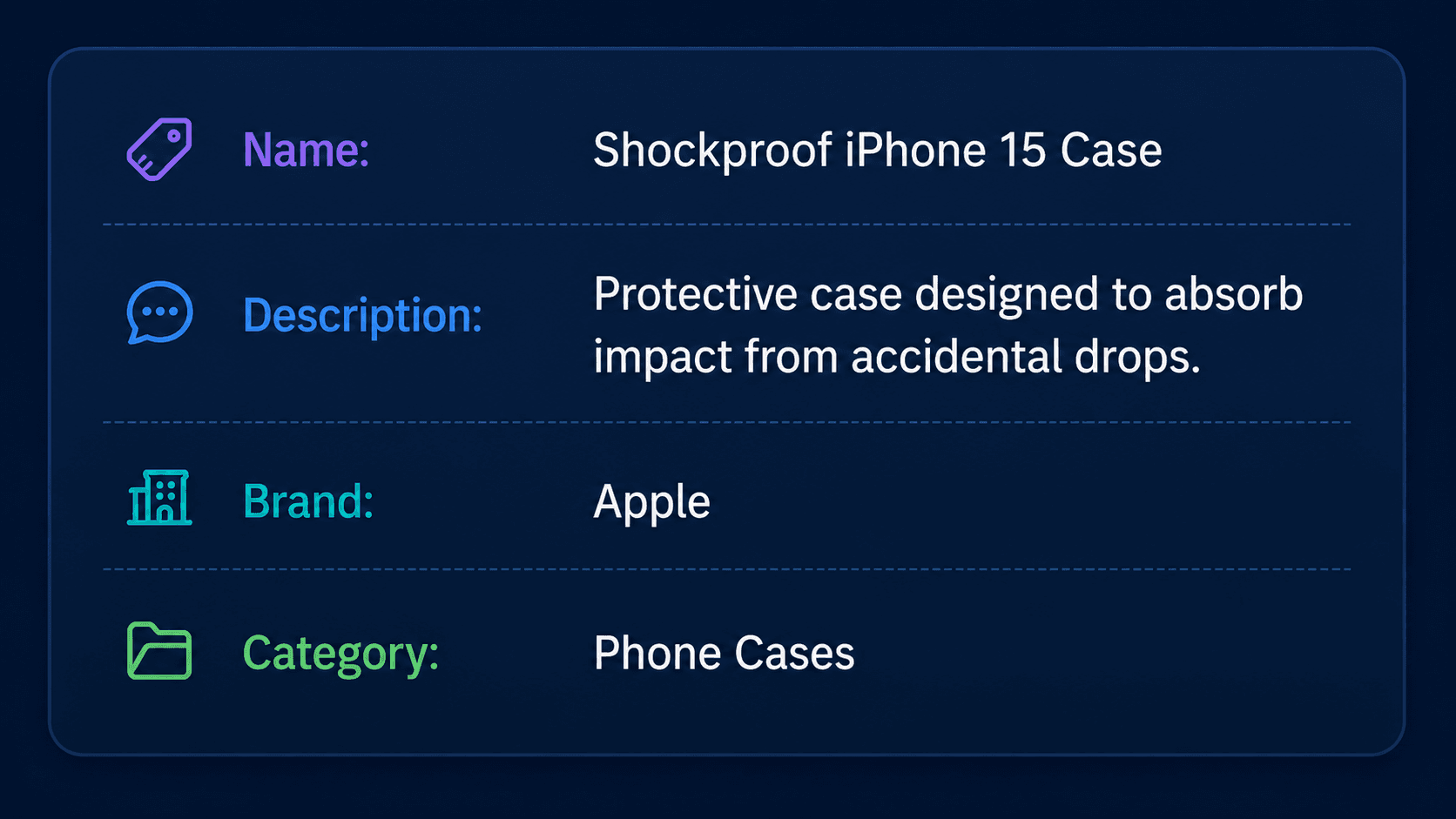
That text is what we send to the embedding model.
The general rule is simple:
Embed the information that describes why a user might want to find the record.
Don't blindly include every database column.
For example, these probably don't belong in the embedding:
created_at updated_at internal_notes stock_quantity
unless they have genuine search meaning.
Step 3: Generate the Embedding
We don't want embedding logic inside the controller.
A small service object keeps the responsibility isolated.
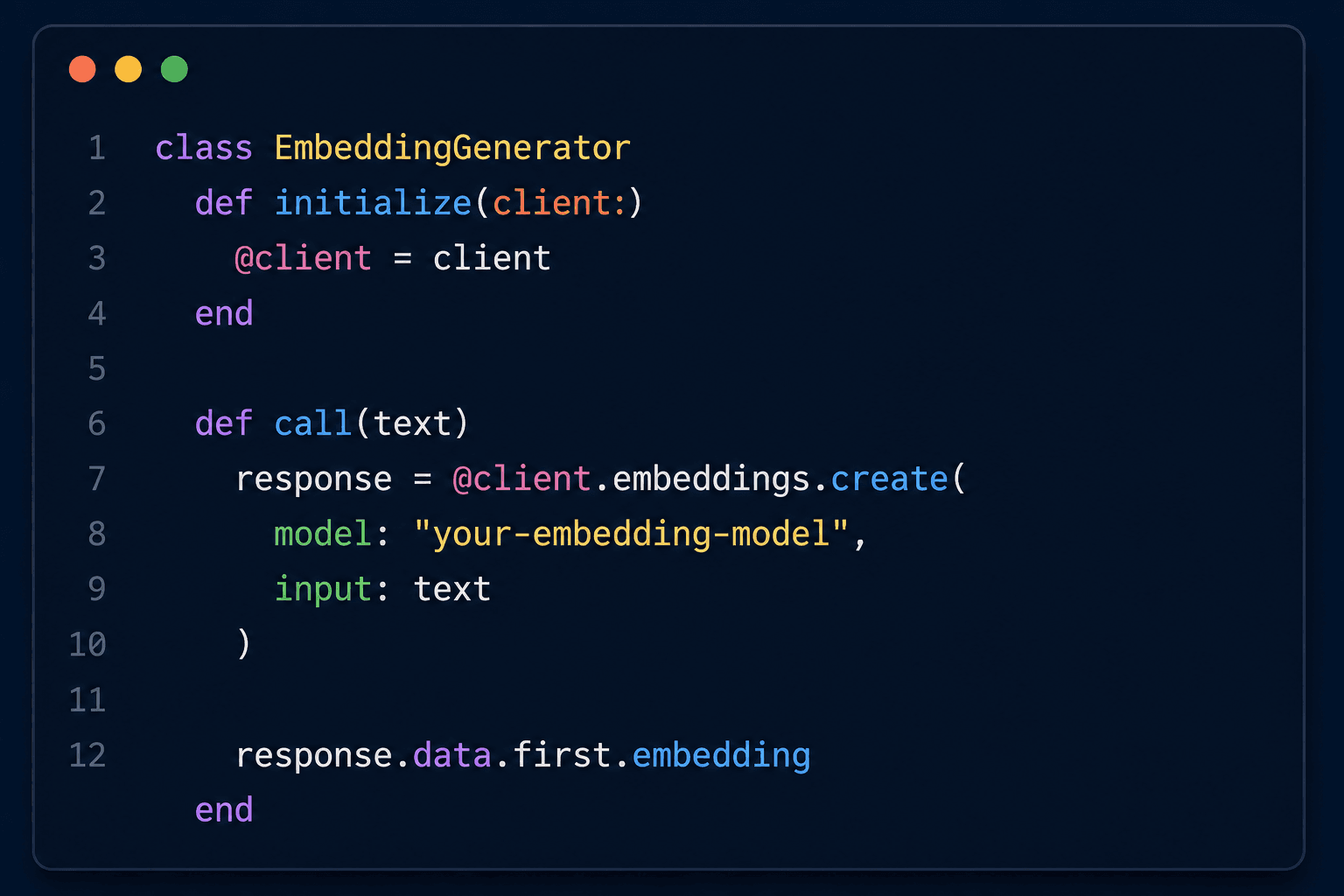
The service has one simple responsibility:
Text → Embedding Model → Vector
This separation also makes it easier to change providers or models later.
Step 4: Store the Product Embedding
We can generate the embedding from a background job.
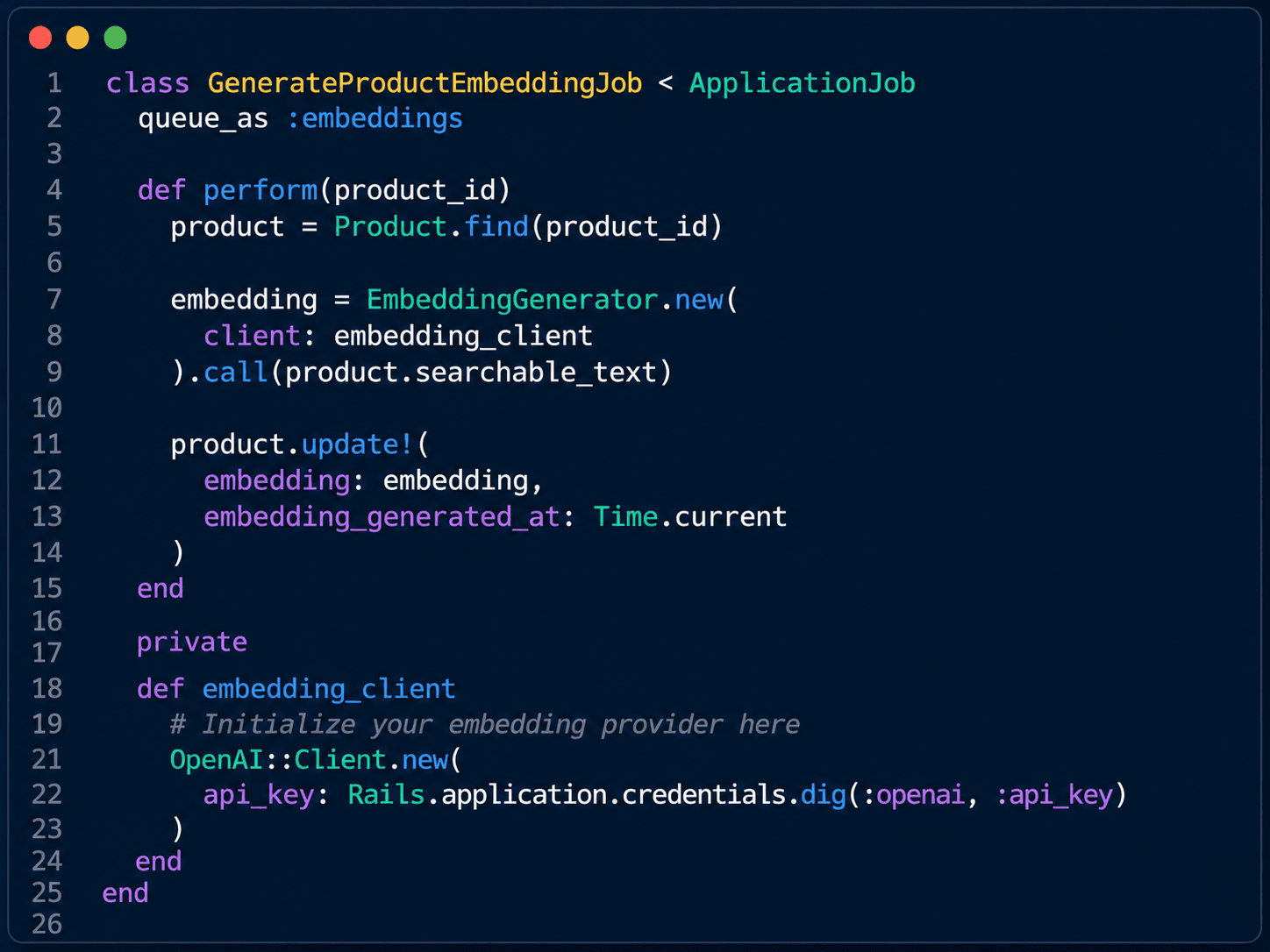
Then trigger the job when searchable content changes.
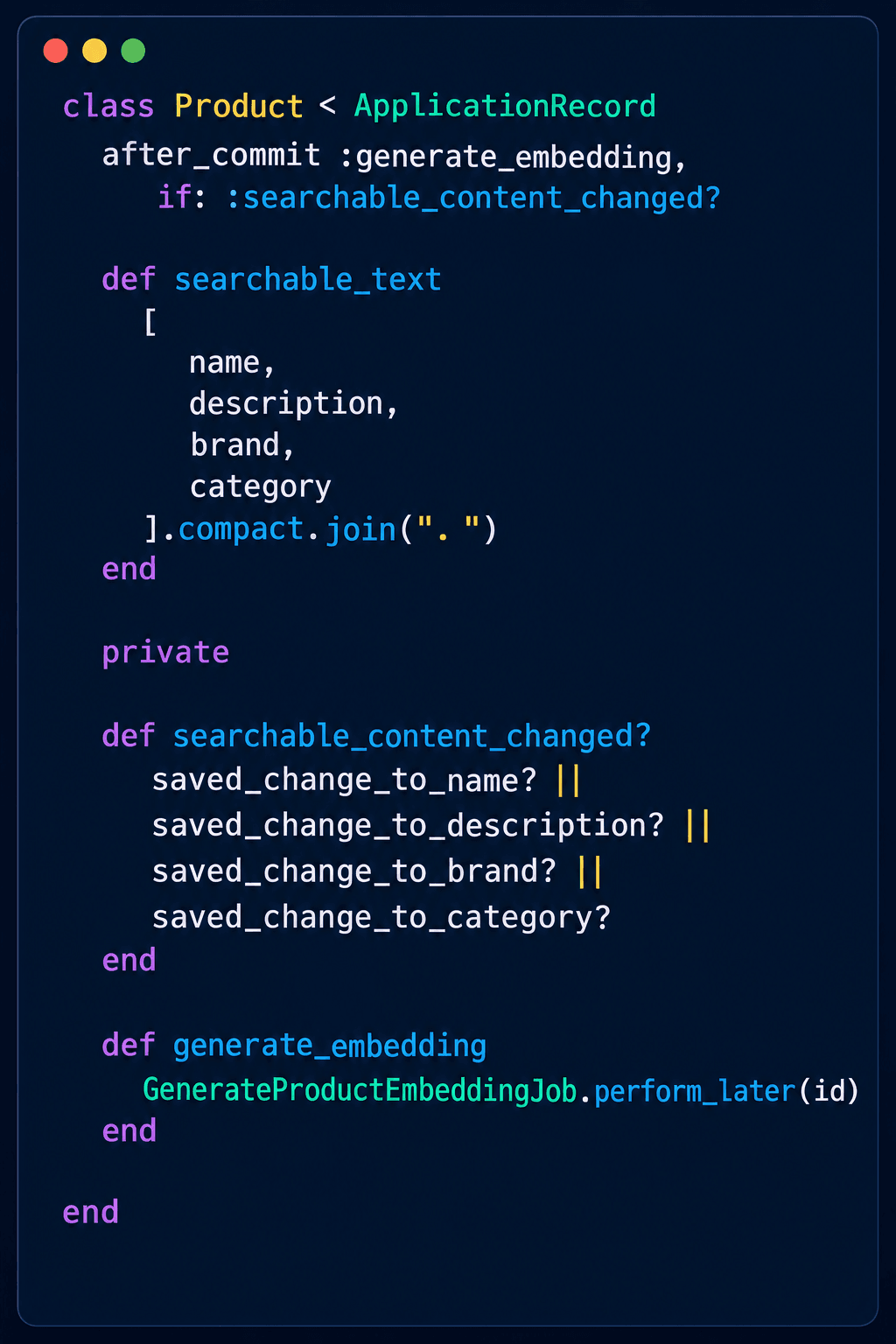
Now:
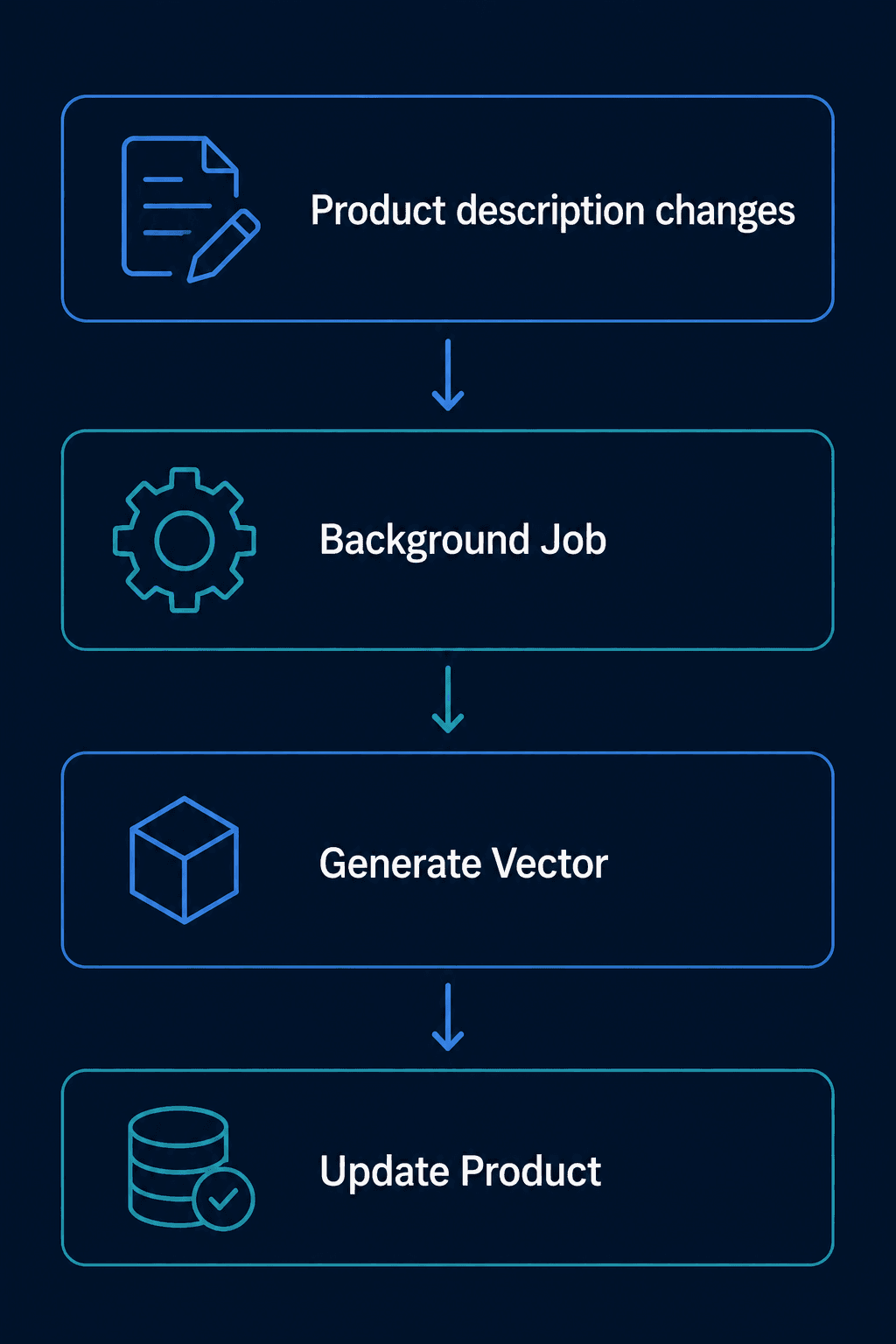
We don't need to regenerate the embedding when something irrelevant changes.
For example:
"Price changed" doesn't necessarily require a new embedding.
But:
"Description changed" probably does.
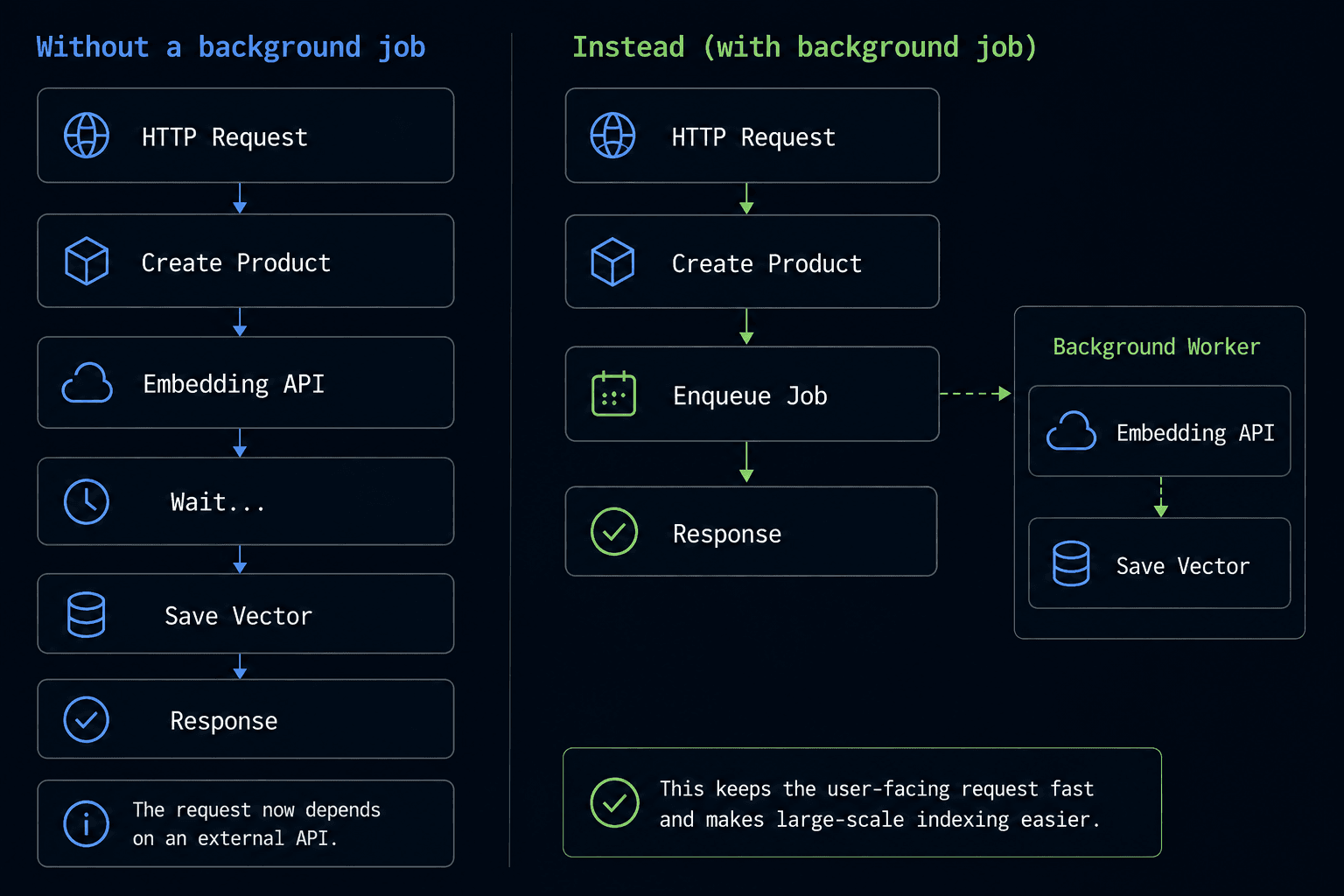
Why Use a Background Job?
Imagine an admin creates a product.
Step 5: Generate an Embedding for the Query
When the user searches "something that protects my phone from accidental drops", we generate an embedding for that query too.
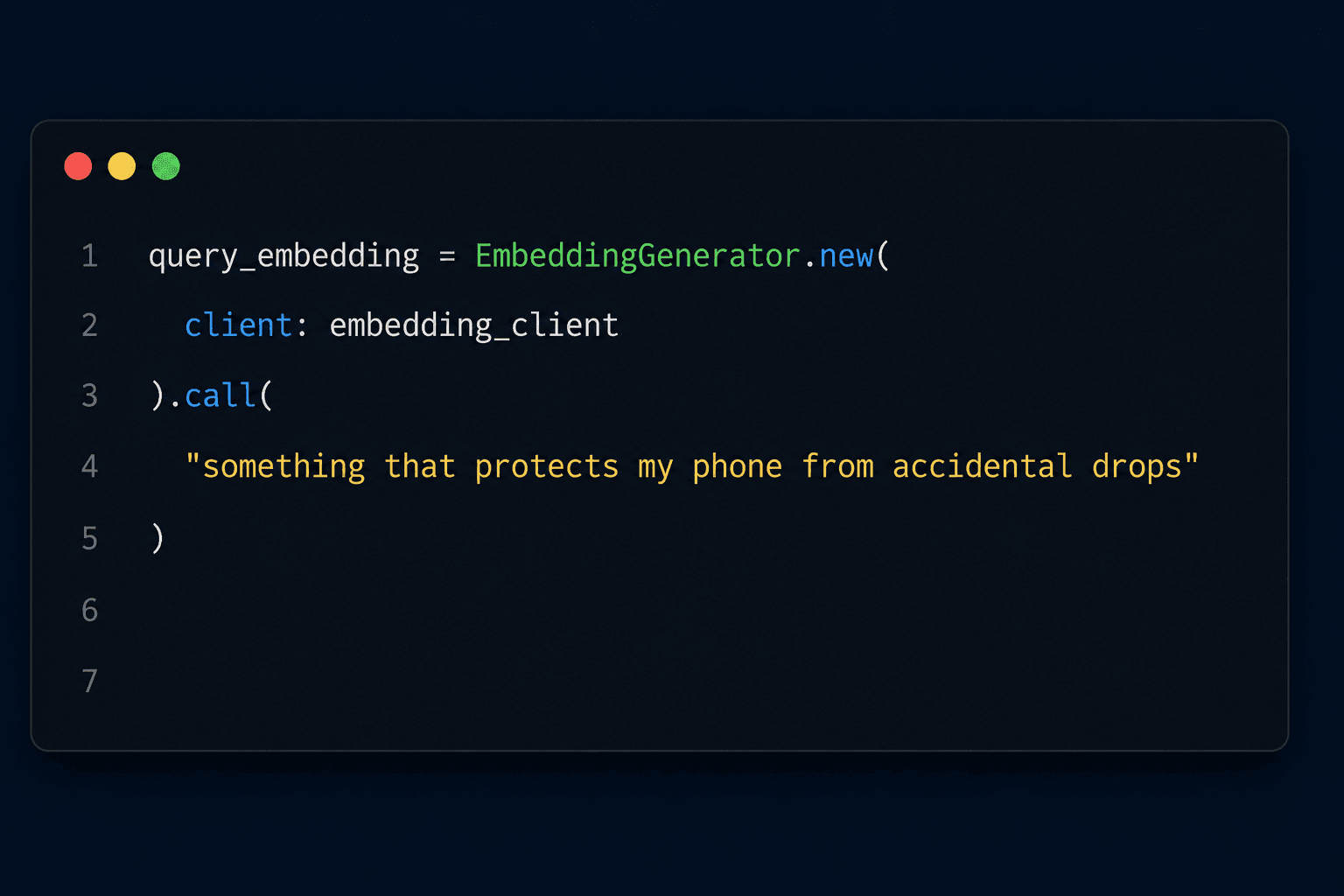
Now we have:
Product Vector + Query Vector ↓ Similarity Comparison
The database can find the products whose vectors are closest to the query vector.
Step 6: Search Using ActiveRecord
We can encapsulate the search logic in a service.
For example, with a Rails vector-search integration:
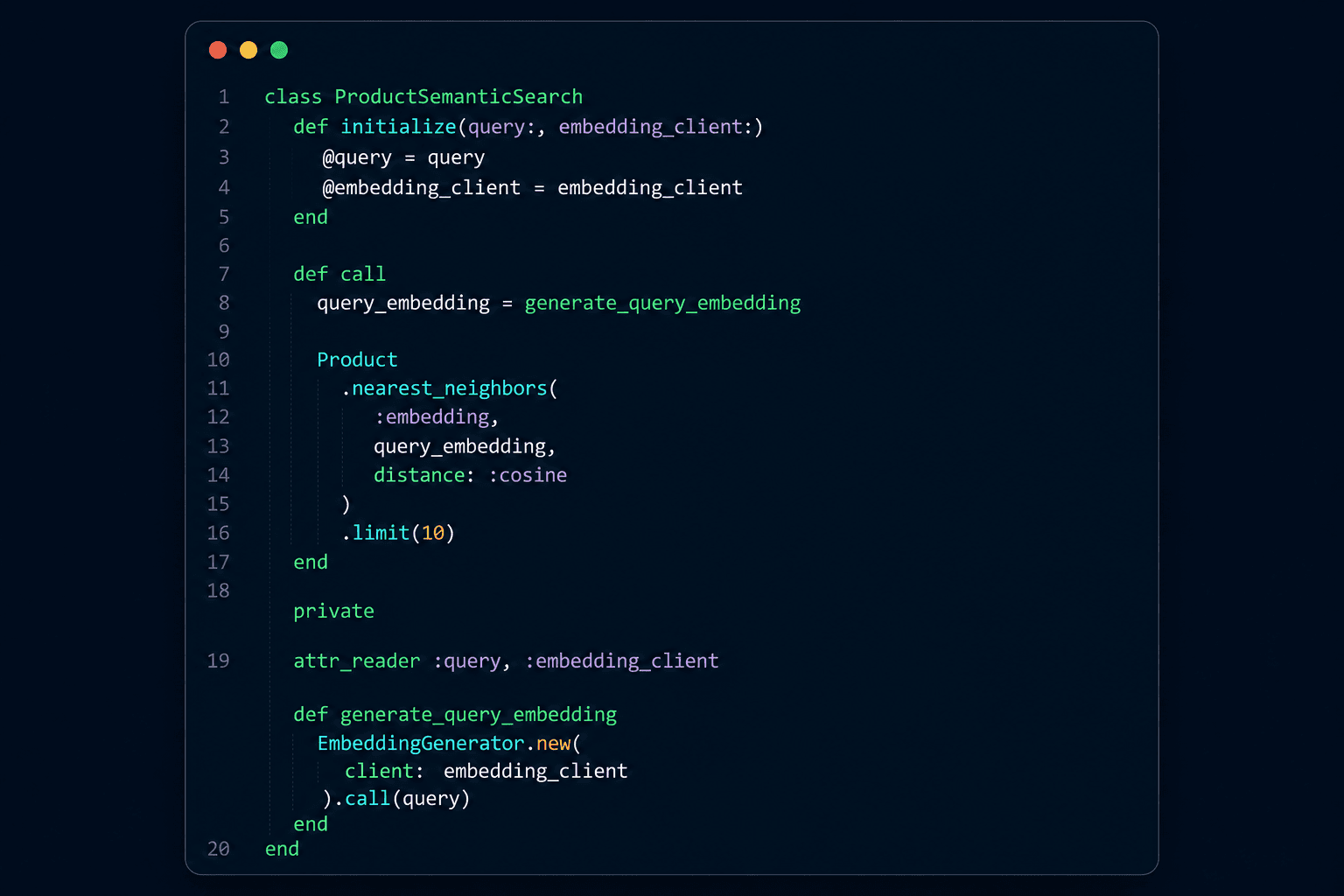
The important part is:
Product.nearest_neighbors(...)
Instead of asking:
Which products contain these words?
We are asking:
Which product vectors are closest to this query vector?
Step 7: Combine Semantic Search With ActiveRecord
This is where the approach becomes especially useful for Rails applications.
Suppose the user searches:
"something that protects my phone from accidental drops" and also selects:
Brand: Apple Maximum Price: ₹2,000 In Stock: Yes
We can combine normal ActiveRecord conditions with semantic search.
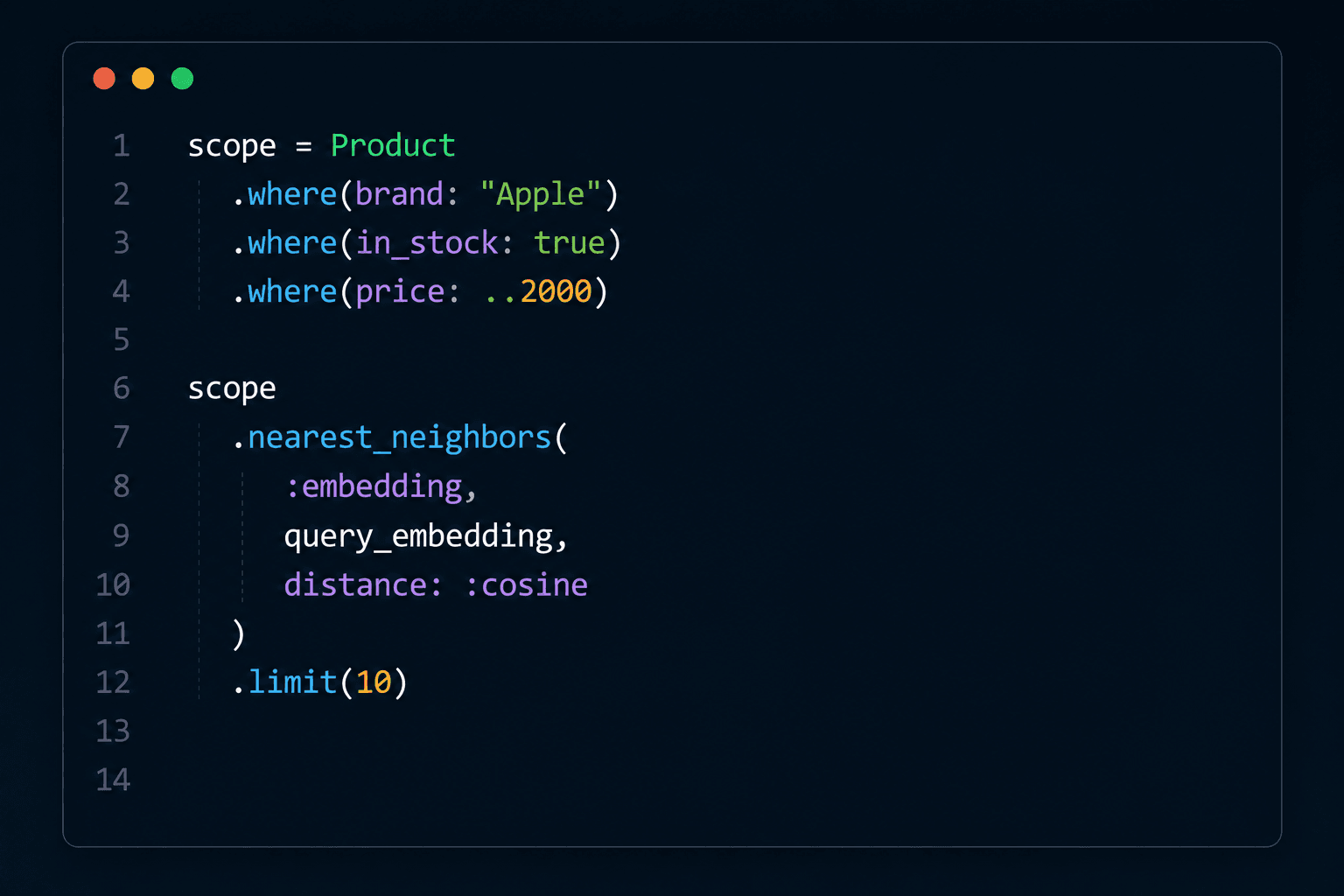
Conceptually:
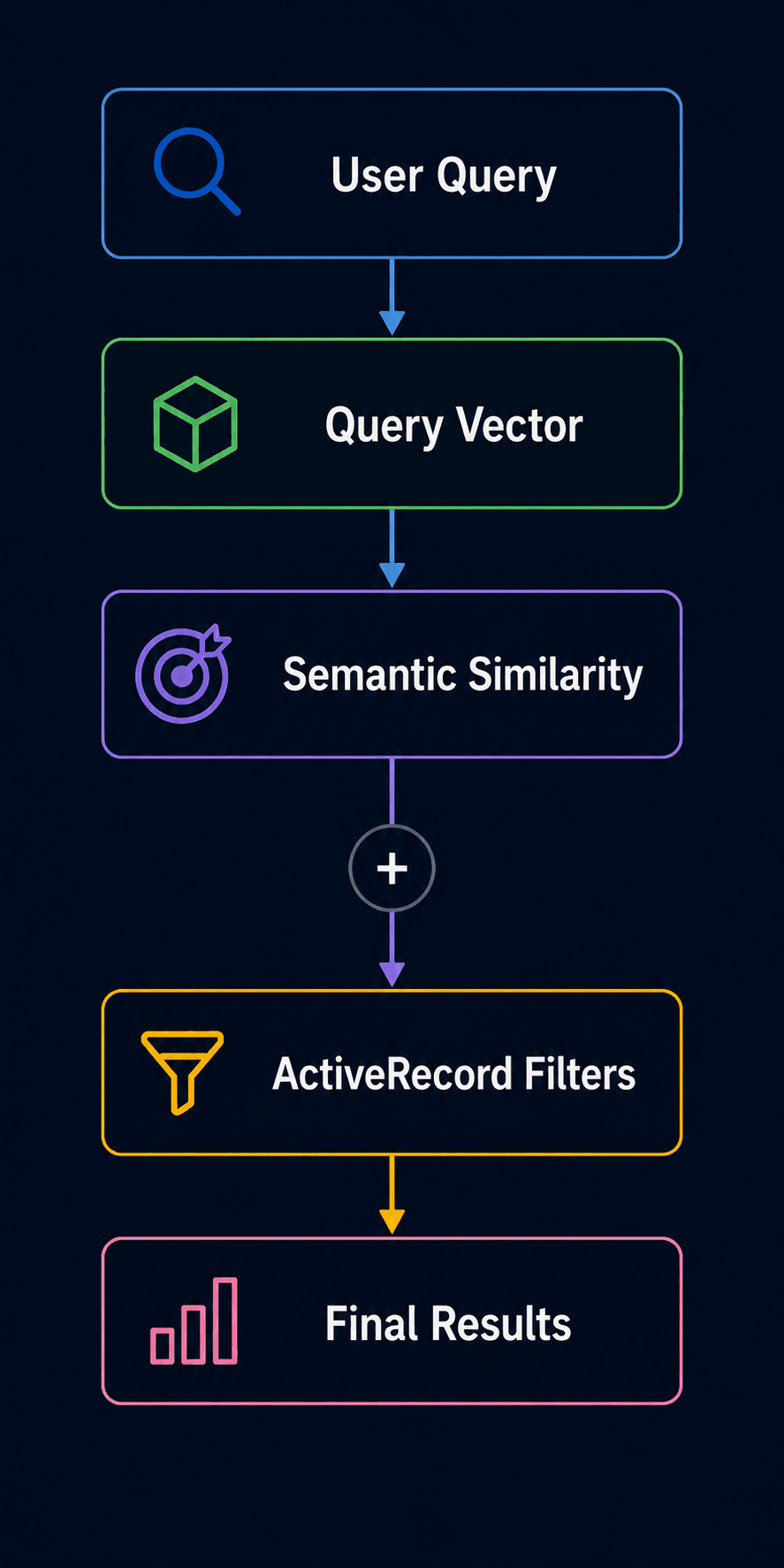
This gives us a useful division of responsibility:
SQL Filters ↓ "What products are allowed?"
Semantic Search ↓ "Which allowed products are most relevant?"
A Complete Search Service
We can now bring the pieces together.
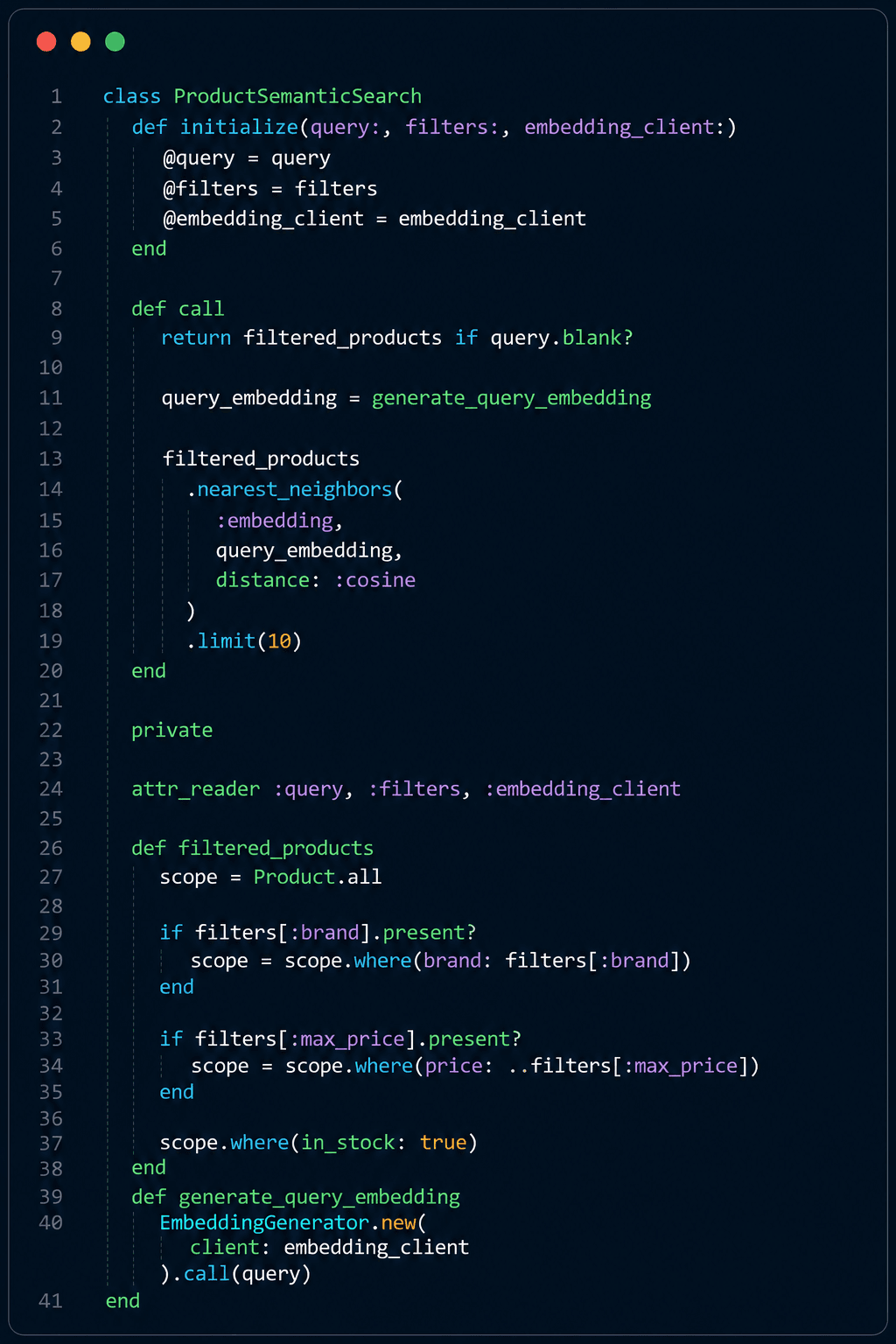
The controller can remain simple:
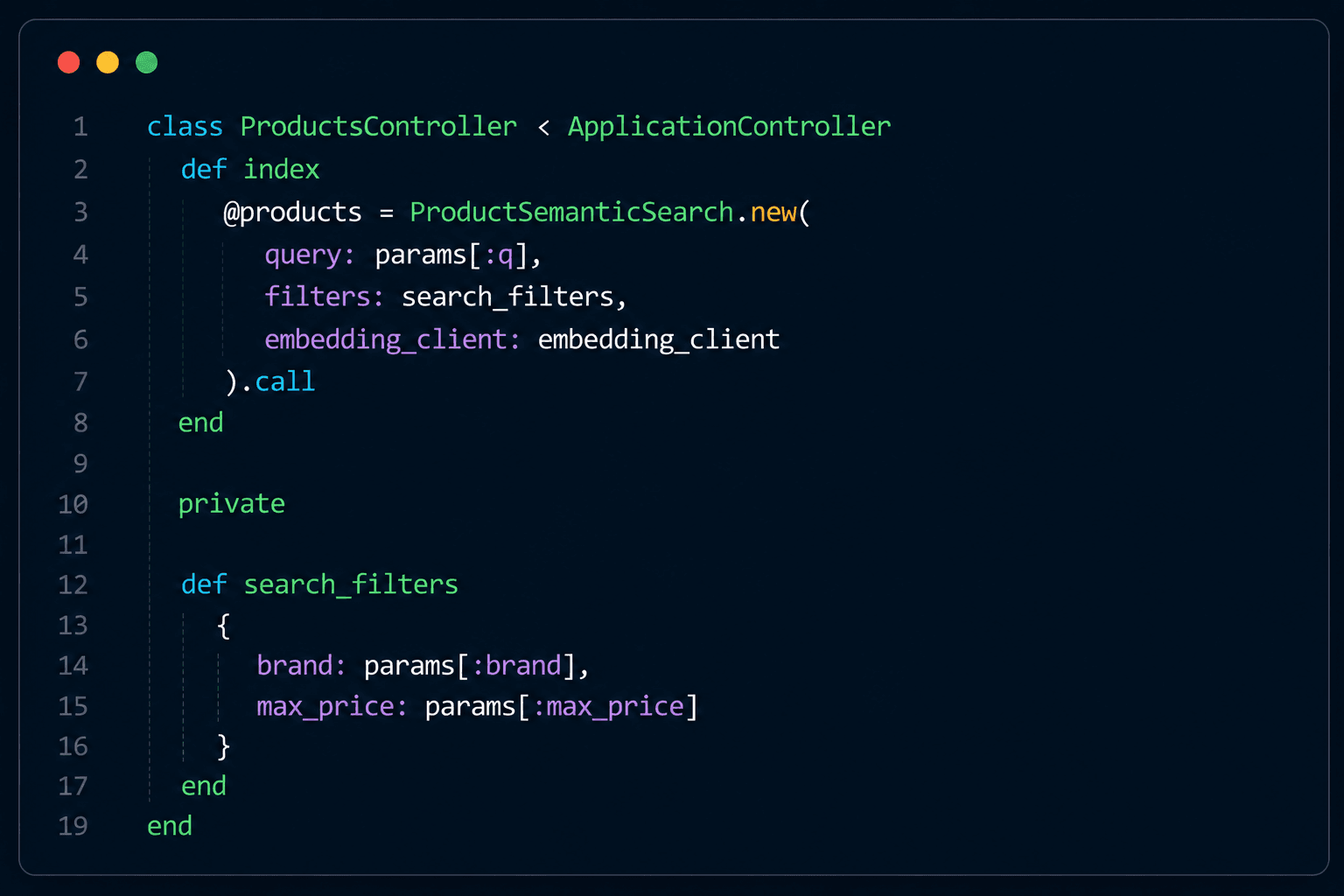
That's a much cleaner design than putting embedding calls, database queries, and filtering logic directly inside the controller.
What Does the Result Look Like?
Suppose our user searches:
"I need something that protects my phone from accidental drops"
with:
Brand: Apple Maximum price: ₹2,000
The search could return:
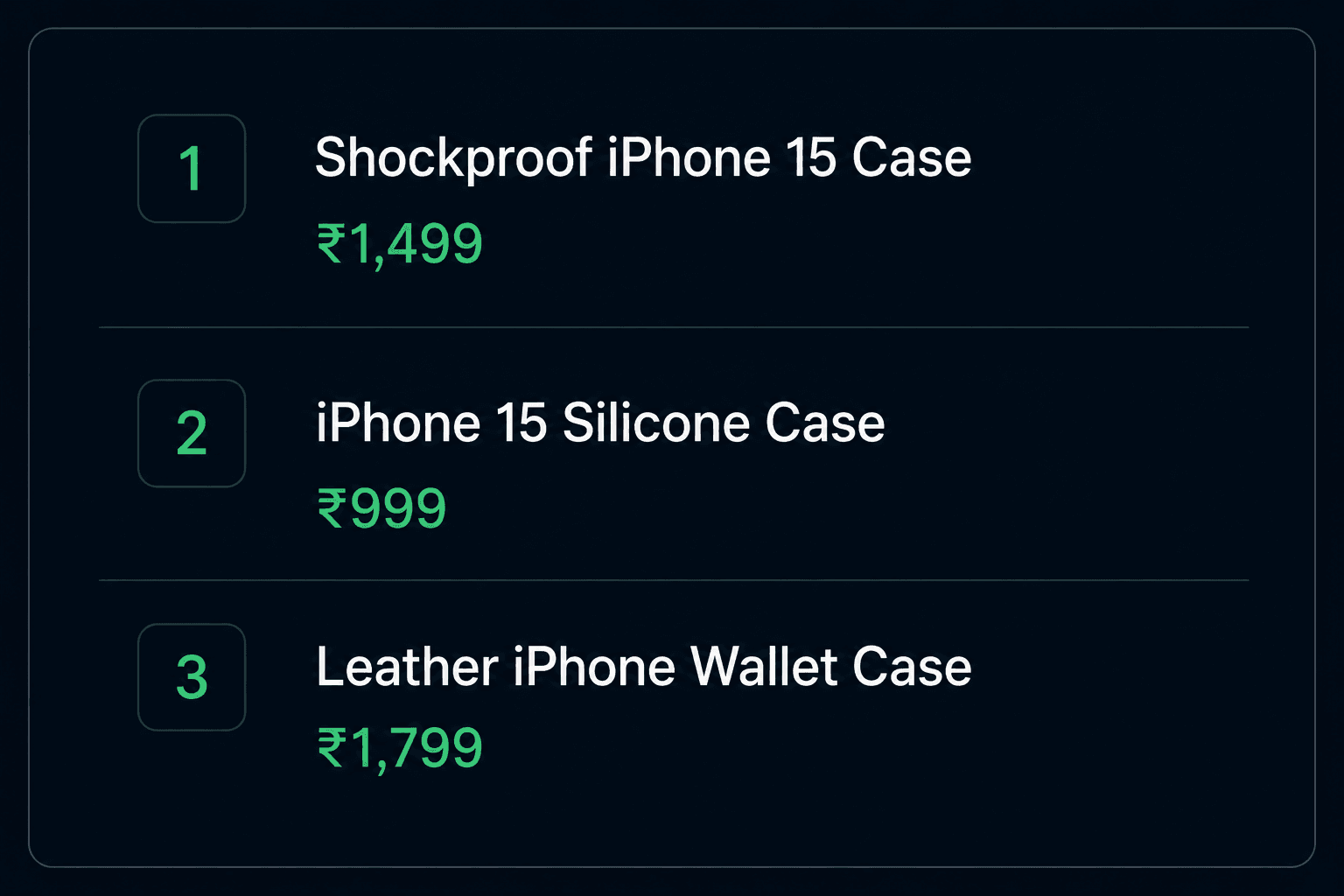
The charging cable doesn't appear just because it is cheap.
The wireless charger doesn't appear just because it is an Apple accessory.
Semantic similarity helps rank products based on the meaning of the query, while ActiveRecord handles the business constraints.
What About Exact Searches?
Semantic search shouldn't replace every other search technique.
Consider:
SKU-IPH15-BLK
or:
ORD-2026-004281
These are exact identifiers.
A normal database query is better:
Product.find_by(sku: params[:sku])
Likewise, some queries are better handled by keyword or full-text search.
Semantic search is most useful when users express an idea or intent:
comfortable shoes for long-distance running a laptop bag suitable for business travel something to protect my phone from drops
So a practical search architecture often looks like:
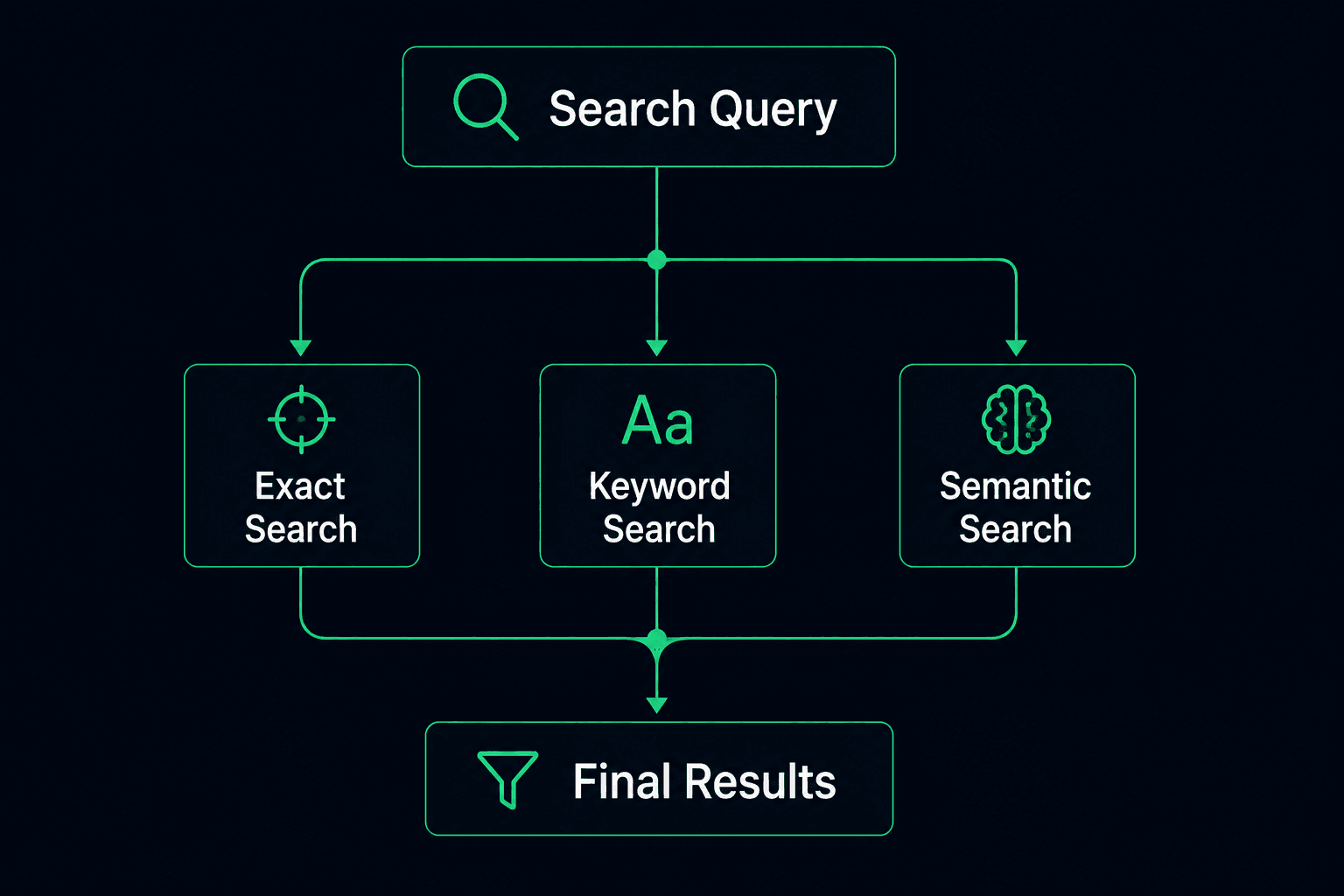
You don't have to choose only one.
Hybrid Search
Consider:
waterproof hiking backpack 40L
Semantic search can understand:
_waterproof hiking outdoor travel _
But:
40L is a specific requirement.
That can be handled as a structured attribute:
Product .where(category: "Backpacks").where(capacity: 40)
while semantic search handles the intent:
"waterproof hiking backpack"
This gives us a hybrid approach:
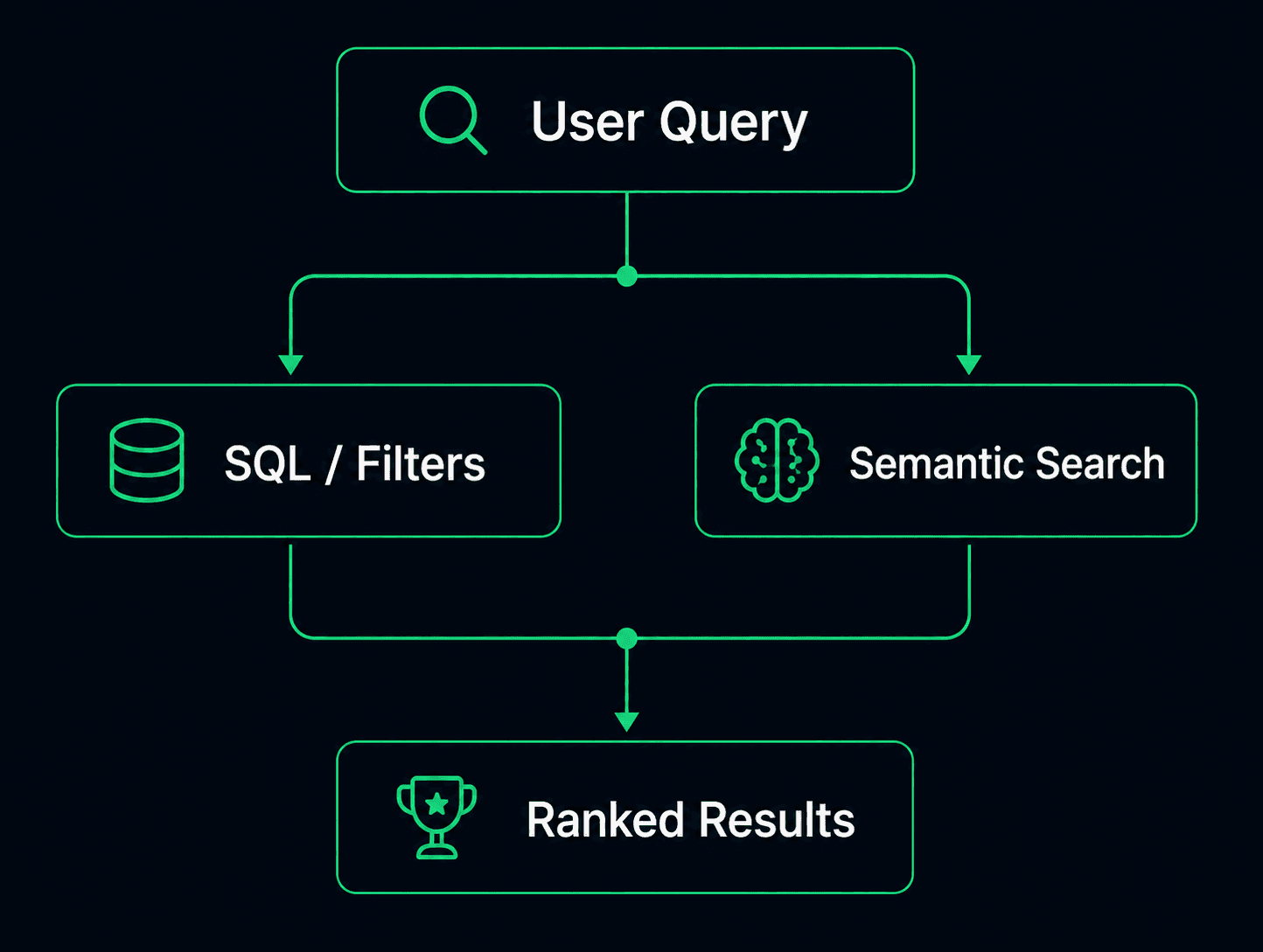
This is often more practical than trying to make semantic search solve every part of a query.
Keeping Search Fast
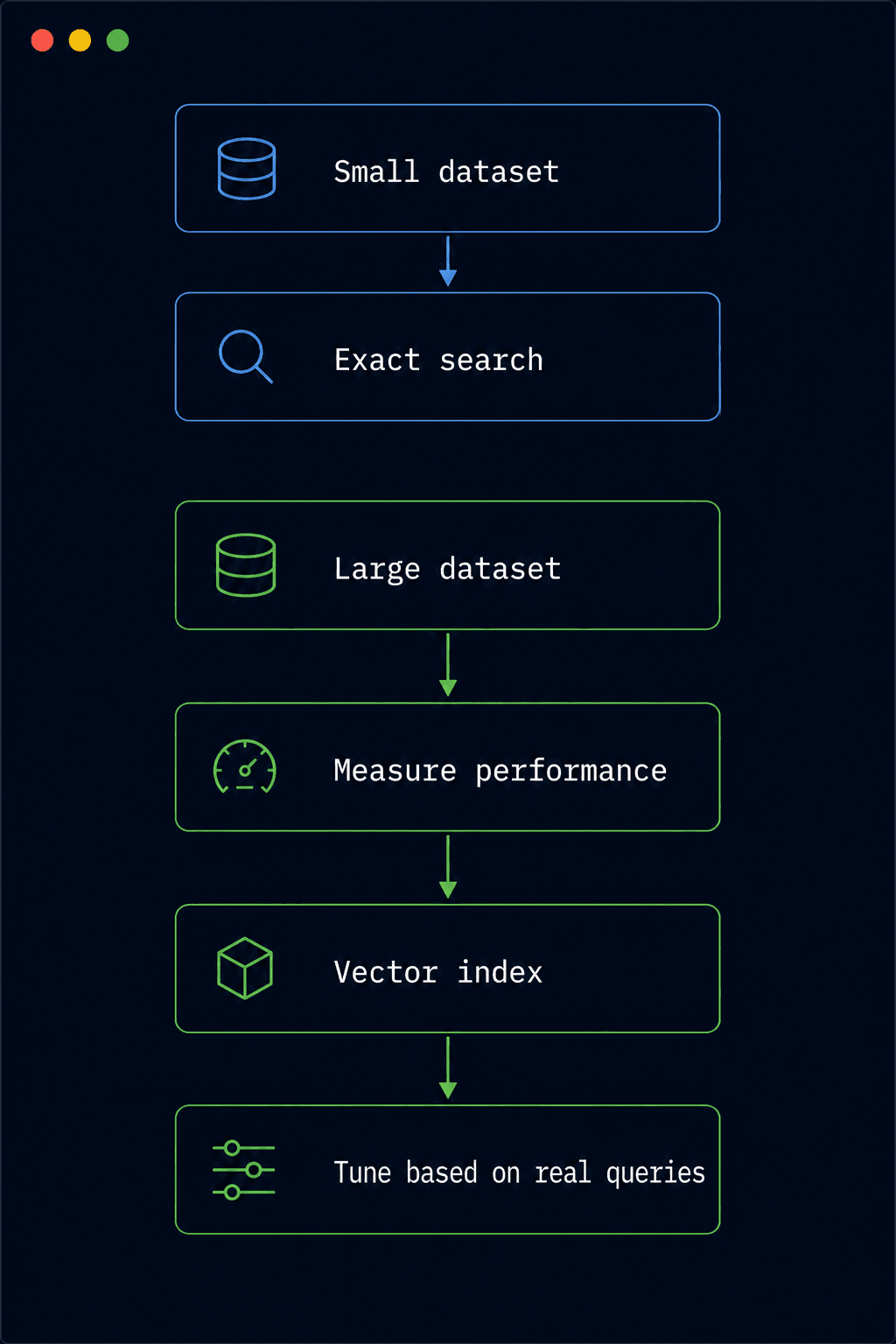
For a small dataset, exact nearest-neighbor search may be sufficient.
As the number of vectors grows, approximate vector indexes such as HNSW can improve search performance at the cost of some recall.
For example:
add_index :products, :embedding, using: :hnsw, opclass: :vector_cosine_ops
The important point is not to add indexes blindly.
Start by measuring the actual workload.
Then consider:
What Happens When a Product Changes?
An embedding represents the text used to create it.
If this changes:
Old description "Protective case for accidental drops" to new description "Ultra-thin MagSafe case for everyday use", the old vector no longer accurately represents the product.
That's why embeddings should be regenerated when searchable content changes.
It is also useful to track when an embedding was generated:
add_column :products, :embedding_generated_at, :datetime
For larger systems, you may also want to track the embedding model. This makes future re-indexing much easier.
What If the Embedding API Fails?
The embedding provider is an external dependency.
It can fail because of:
Timeout Rate limit Network failure Service outage Invalid credentials
For background indexing jobs, temporary failures can be retried.
For user searches, we can also provide a fallback.
For example:
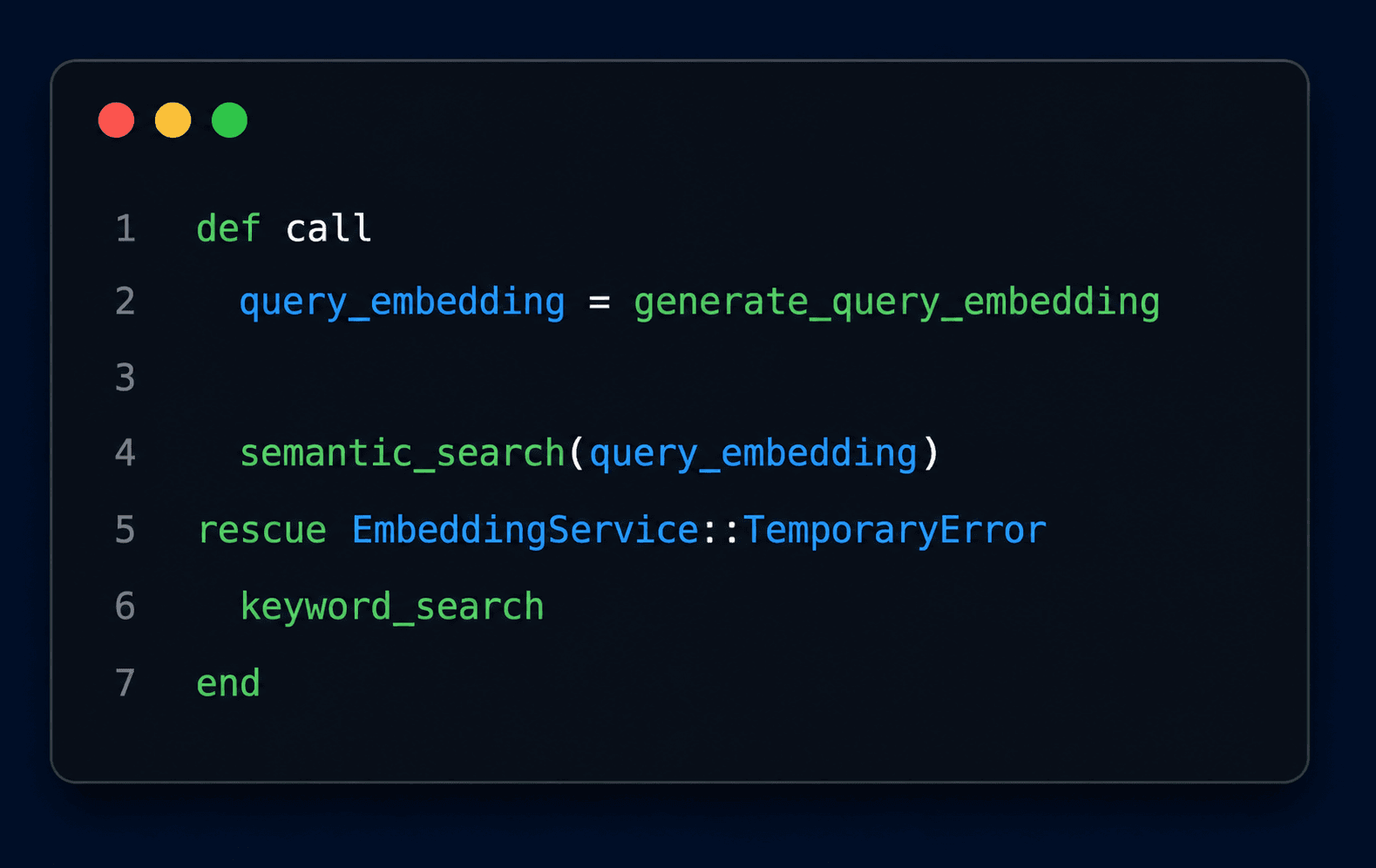
The idea is:
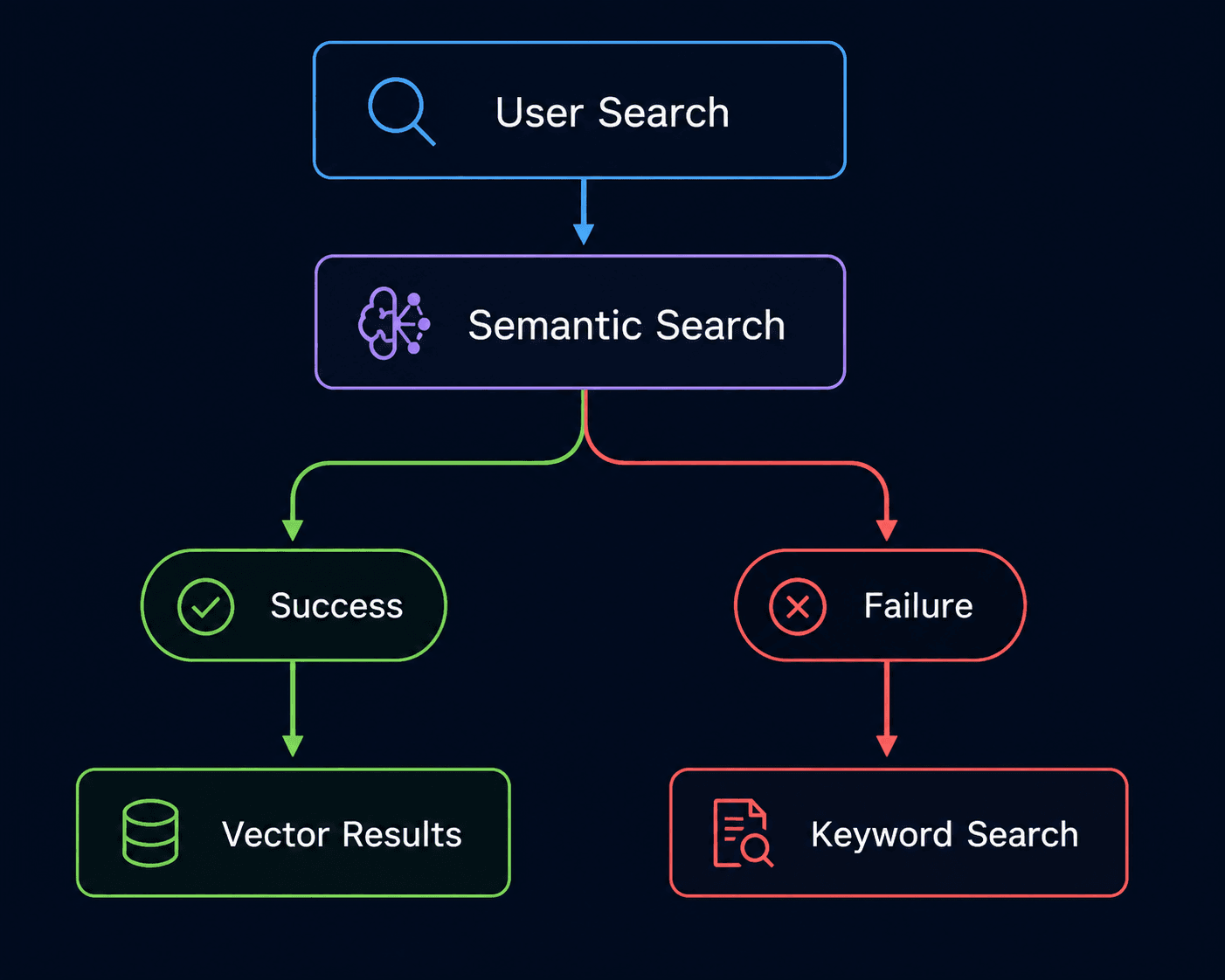
AI should improve the search experience, not become a single point of failure.
Testing Semantic Search
Traditional tests might verify:
expect(results).to be_present
But that doesn't tell us whether the results are actually useful.
Create realistic search examples instead:
Query: "something that protects my phone from drops"
Expected: "Shockproof iPhone 15 Case" Query: "fast charger for my iPhone"
Expected: "USB-C Fast Charging Cable" Query: "bag for carrying a laptop while traveling"
Expected: "Travel Laptop Backpack"
Then check:
- Is the expected product returned?
- Is it near the top?
- Are unrelated products appearing first?
- Do different ways of asking the same question produce useful results?
- Do price and category filters still work?
The goal isn't simply:
Search executed successfully
The goal is:
Search returned something useful
The Complete Architecture
At this point, our implementation looks like this:
And when the user searches:
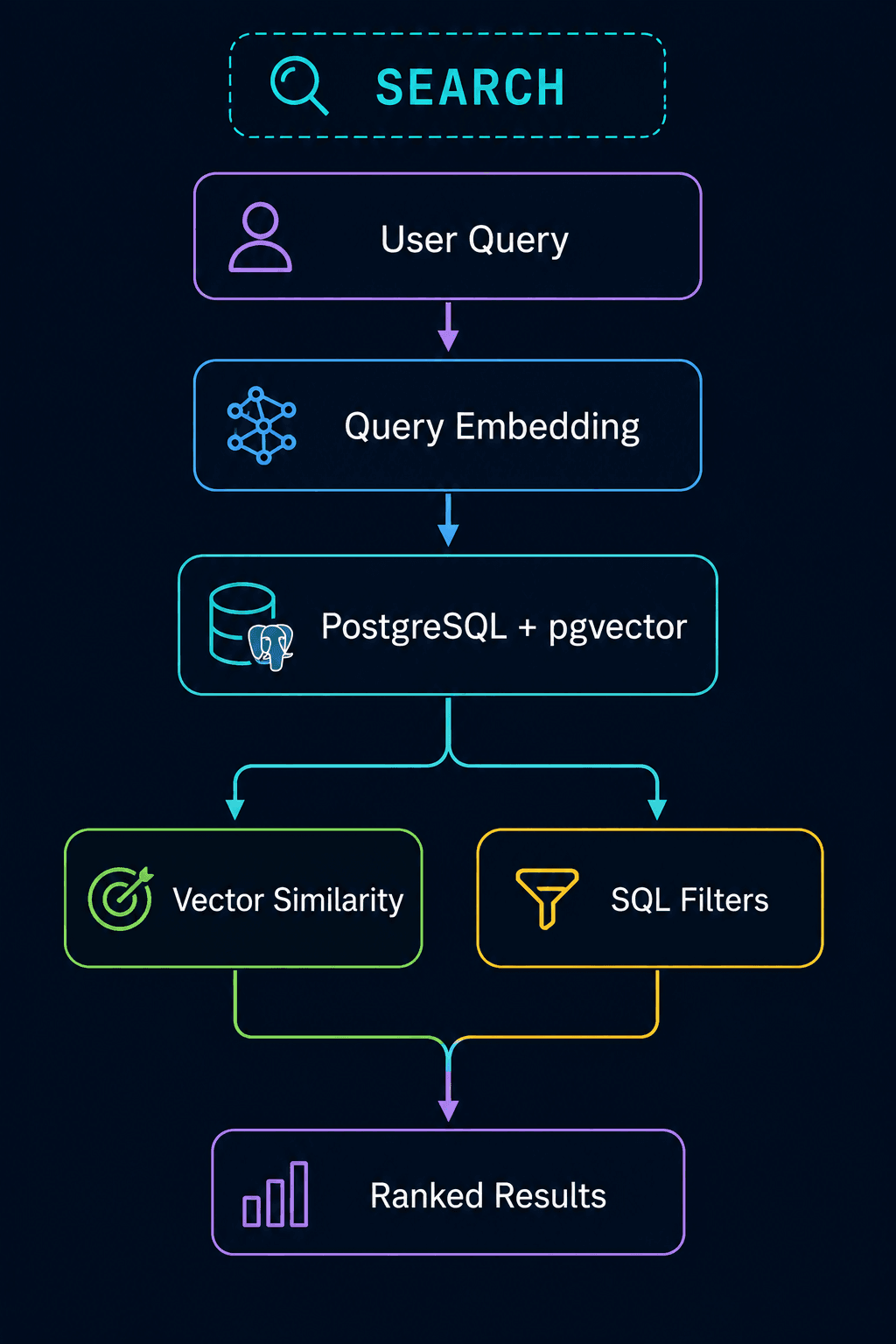
Rails remains responsible for the application.
ActiveRecord remains responsible for database interaction.
PostgreSQL remains our primary database.
The embedding model simply gives the application a new capability:
Understanding meaning
Conclusion
Semantic search doesn't mean replacing traditional search.
It means adding another way for users to find information.
Traditional search is excellent when users know the exact terms:
iPhone 15 SKU-IPH15-BLK USB-C cable
Semantic search becomes useful when users describe their intent:
something that protects my phone from drops
The Rails implementation can remain surprisingly simple:
- Build searchable text
- Generate an embedding
- Store the vector in PostgreSQL
- Generate an embedding for the user's query
- Find similar vectors
- Apply normal ActiveRecord filters
- Combine with keyword search when necessary
The most important idea is this:
Traditional Search → "What words did the user type?"
Semantic Search → "What does the user mean?"
And that's where AI-powered search fits naturally into a Rails application.
We don't need to throw away ActiveRecord or PostgreSQL.
We simply give them one more dimension to work with: meaning.