Update Environment Variable Values in Production via the Default Solution
Learn how to update environment-specific configuration values in production hassle-free.


Abinashini K
Junior Software Developer


Introduction
Imagine your Power Platform application has already been deployed to Production. Everything is working perfectly, users are actively using the application, and no new features or bug fixes are required.
Then suddenly, your infrastructure team informs you that one of your configuration values has changed. It could be a new API endpoint, a different SharePoint site URL, an updated support email address, or a new Azure Storage path.
Your first thought is simple:
I'll just update the Environment Variable and deploy the solution again.
While this sounds like the obvious approach, it isn't always the most practical one.
This is where many Power Platform developers encounter an important limitation.
The Limitation
Power Platform solutions are designed to package application components such as Power Apps, Power Automate flows, Dataverse tables, and Environment Variable definitions. However, when a solution has already been deployed to Production, changing only the Current Value of an Environment Variable through the normal development and deployment process can introduce unnecessary effort.
Imagine redeploying an entire application just because:
- An API URL changed.
- A SharePoint site was migrated.
- A notification email address was updated.
- An external service endpoint changed.
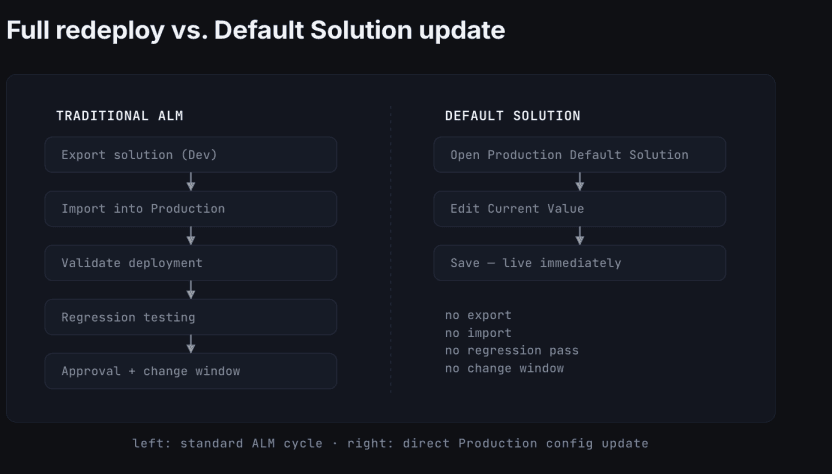
The application itself hasn't changed, yet the complete deployment cycle must be repeated if you follow the traditional ALM process.
This creates an unnecessary operational burden for what is essentially a simple configuration update.
Why Is This a Challenge?
Every solution deployment requires planning and validation. Even if no application logic has changed, redeploying a solution means:
- Exporting the latest solution from Development.
- Importing it into Production.
- Validating the deployment.
- Performing regression testing.
- Managing deployment windows
For a change that affects only a configuration value, this process can consume more time and effort than the actual update itself.
In large organisations where Production deployments require approvals and maintenance windows, this becomes even more significant.
The Solution
Fortunately, Power Platform provides a better approach.
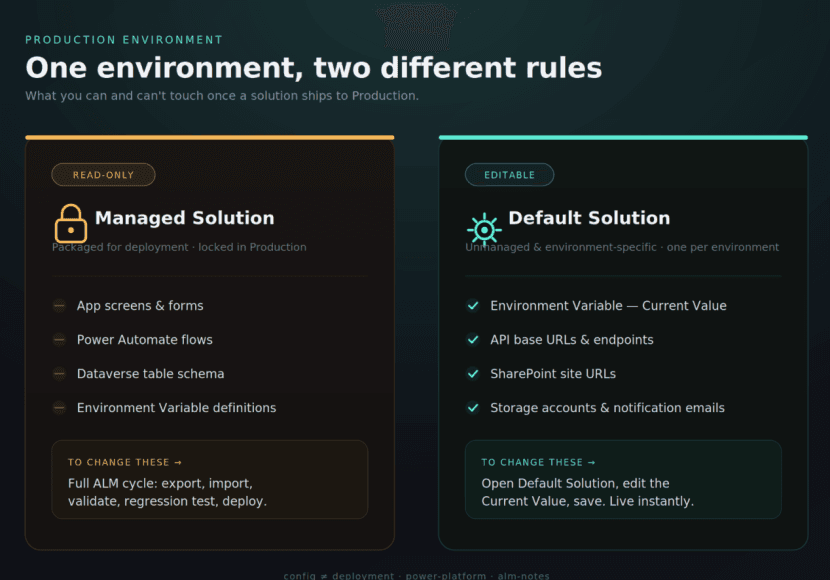
Instead of redeploying the entire solution, administrators can update the Current Value of the Environment Variable directly in the Default Solution of the Production environment.
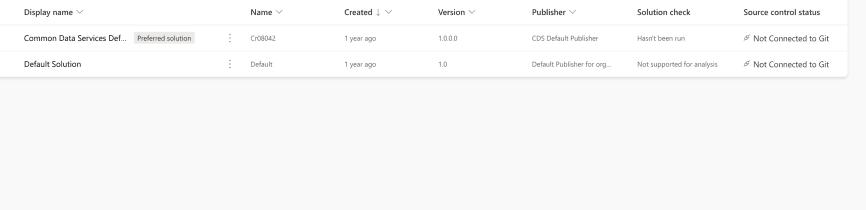
This allows Production-specific configuration values to be maintained independently without modifying the application or its business logic.
Only the configuration changes—the application remains exactly the same.
Benefits of This Approach
Using the Default Solution for configuration updates offers several advantages:
- Faster Production updates
- No unnecessary solution deployment
- Reduced deployment effort
- Lower risk of introducing unrelated application changes
- Better management of environment-specific configurations
- Minimal disruption for end users
Important Consideration
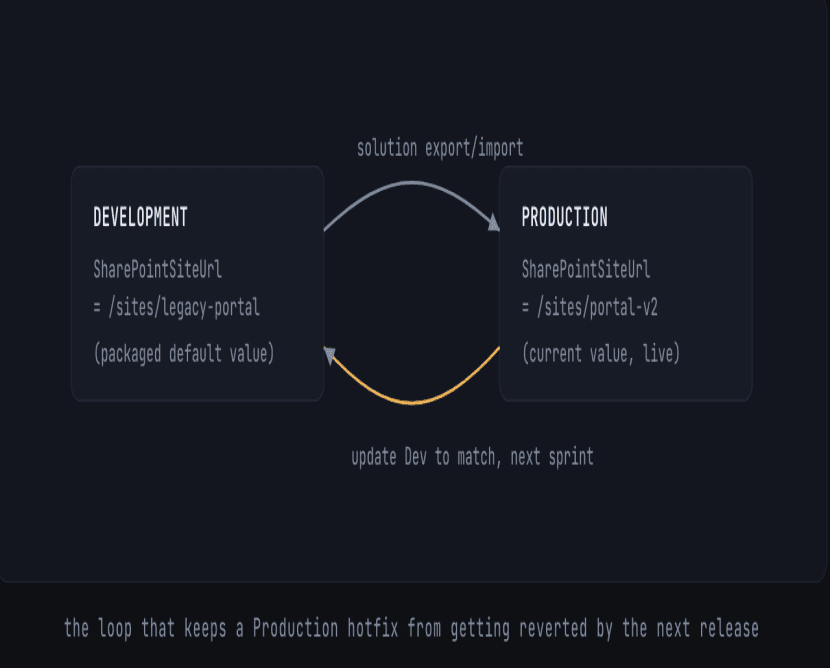
Updating the Environment Variable through the Production Default Solution affects only the Production environment.
If the updated value should become the standard configuration for future releases, the same Environment Variable should also be updated in the Development environment during the next development cycle. This ensures that future deployments remain aligned and do not overwrite the Production configuration with outdated values.
Why Do We Update Environment Variables Through the Default Solution?
One of the most common questions Power Platform developers ask is:
If my application is already deployed to the Production environment, why can't I simply update the Environment Variable in the Production solution itself? Why do I need to use the Default Solution?
The reason is that applications are typically deployed as Managed Solutions, which are read-only to protect the application's components from accidental changes.
While the Environment Variable is part of the managed solution, its Current Value is an environment-specific configuration. Therefore, Microsoft allows this value to be updated through the Default Solution in the Production environment.
This enables administrators to change configuration settings without modifying the managed application or redeploying the entire solution.
Conclusion
Updating Environment Variable values through the Default Solution is the recommended approach in Power Platform because it allows Production-specific configuration changes without modifying the managed application or redeploying the entire solution.
By understanding this approach, organizations can manage configuration updates more efficiently while maintaining a secure and reliable ALM process.